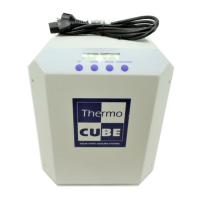
THERMOCUBE II 200-650W THERMOELECTRIC CHILLER MANUAL 52-14790-1
SOLID STATE COOLING SYSTEMS, 167 MYERS CORNERS ROAD, WAPPINGERS FALLS, NY 12590 18
TELEPHONE: (845) 296-1300, FAX: (845) 296-1303, WEB: WWW.SSCOOLING.COM VERSION M2
PUMP OFF ON STANDBY: This option, when set to STANDBY,
turns off the pump when the ThermoCube II is not cooling. The
factory default is NEVER.
BUZZER: Triggers a loud (87dB) high-pitched sound when an alarm
occurs when enabled. Options are: ENABLED or DISABLED. This
feature is only available on units with the -AA Option. The
factory default is DISABLED.
Note: when the Dry Contact option is chosen there can be no buzzer.
CHANGEPWD: Sets the password required to enter this menu. The
factory default is 0000.
5.3 ALARMS
Alarms are displayed on the front screen, and communicated through
RS-232, RS-485, or ethernet. A list of system failure modes can be
found in Section 6. In the event of a system failure, the alarm type will
be shown on the front display.
5.4 DRAIN PROCEDURE
1. Attach a hose the “Process Out” port of the chiller and place the
end of it in a container with at least a 3 liter capacity.
2. Turn the unit on (making sure to hold the drain hose in place)
and run it until air starts to come out of the hose. The turn off the
chiller.
3. Attach the drain hose to the “Process In” port of the chiller
4. Remove the tank cap and allow the liquid in the chiller’s lines to
drain out.
5. Replace and tighten the tank cap, then remove the drain hose.
6. Dispose of the coolant in a manner consistent with local
regulations.



 To Next Page