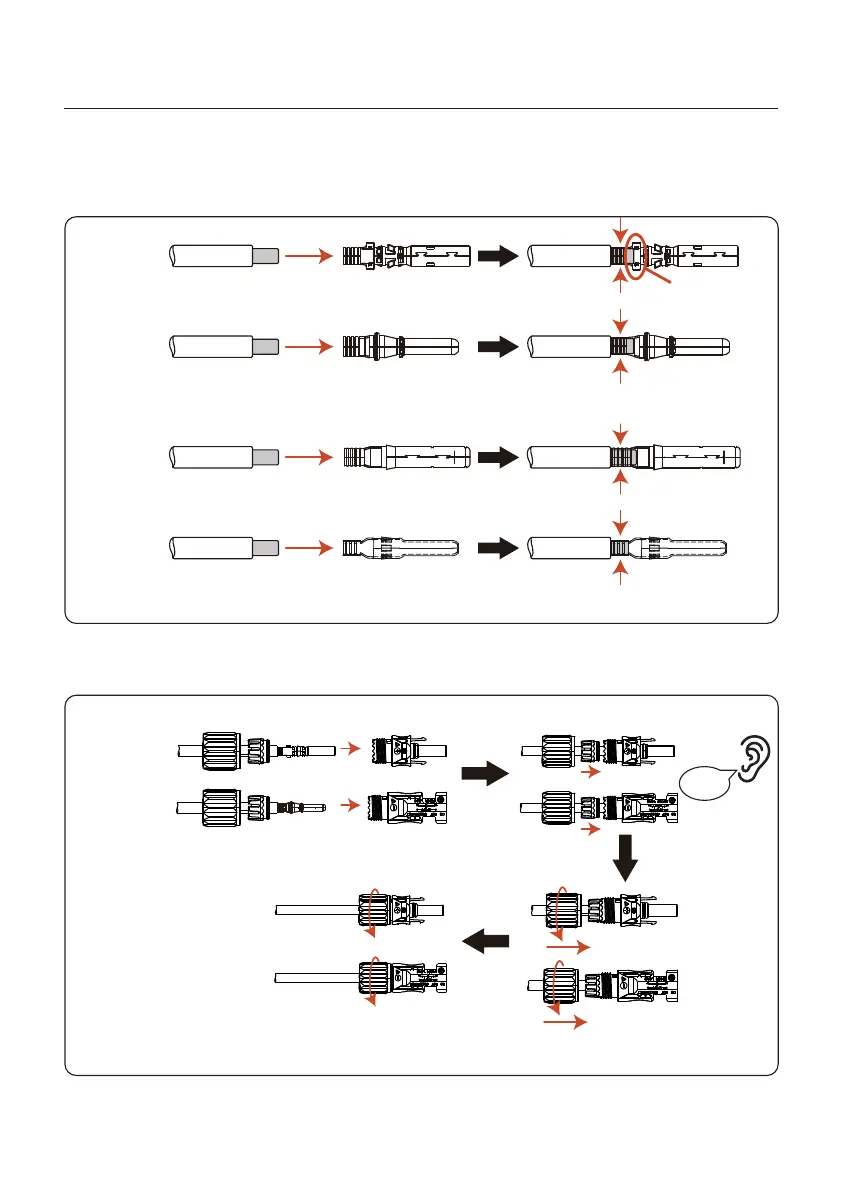
Step 5: Insert the crimped DC cable firmly into the DC terminal, then insert the waterproof
rubber ring into the DC terminal and tighten the nut.
After hearing the "click" sound, gently pull to check whether the engagement is firm.
Criew
Figure 4.10 Assemble the cover of the terminal connector
Step 4: Connect the conductor part of the DC cable to the metal DC terminal and press it
with the DC terminal crimping tool.
Figure 4.9 Crimp
Positive
Negative
Click
Limit snaps
crimpDON'T
Crimp
CAUTION!
Positive
Negative
OR
Crimp
Positive
Negative
4. Installation
User Manual
16







 To Next Page