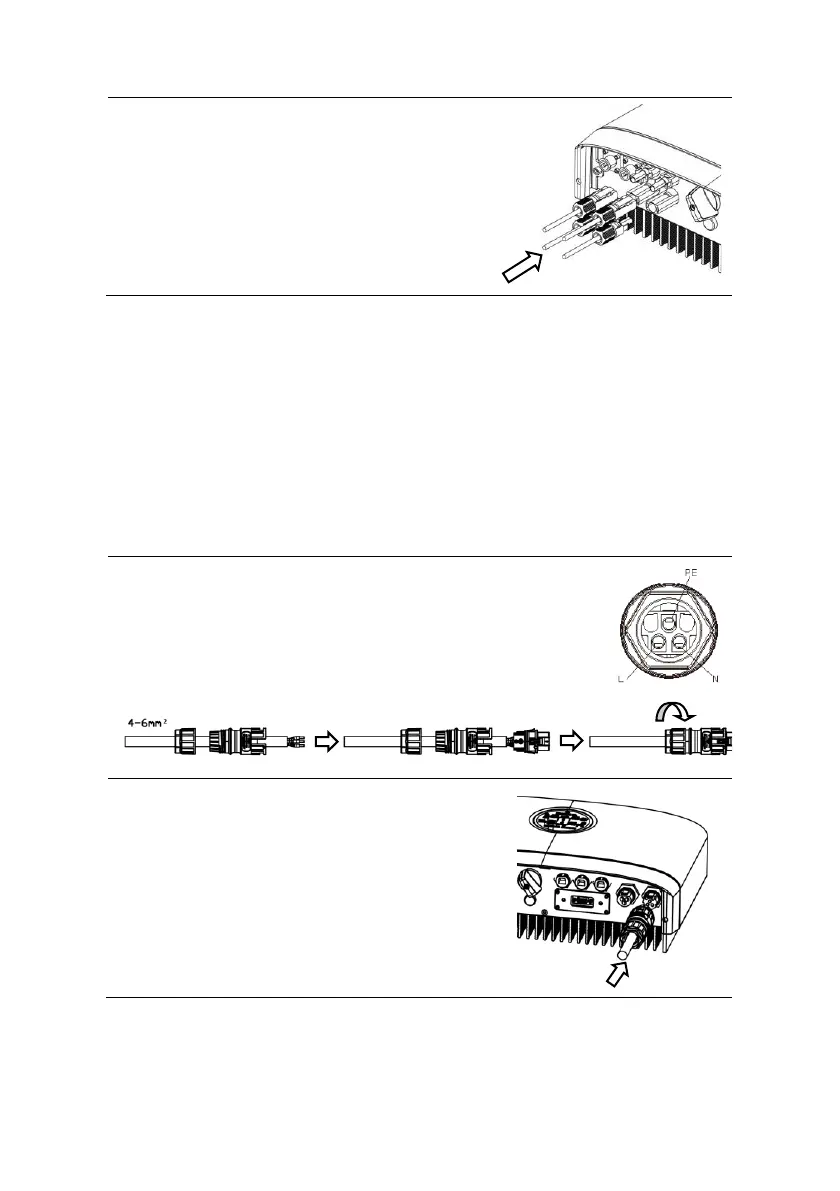
STEP 2:
• Connect the PV connectors
to the inverter. There should
be a “click” to indicate firm
connection.
6.4 Grid Connection
Please use the Grid connector from the accessory box for
connection. Before connecting, please make sure:
• The grid voltage and frequency must be in the permissible
range.
• External AC switches (≥40A) must be used on both Grid
connection to cut off the inverter from Grid when necessary.
Procedure:
STEP 1:
• Assemble the Grid connector.
• Make sure Live/Neutral/PE wire are
correct, please follow the markings
on the connector.
STEP 2:
• Connect the Grid plug to the
inverter. If you are doing this
right, there should be a “click”
sound.



 To Next Page