24
6.7 Smart Meter Connection
Procedure:
STEP 1:
• Normally the smart meter should be placed in or near the
grid distribution box right after the billing meter.
STEP 2:
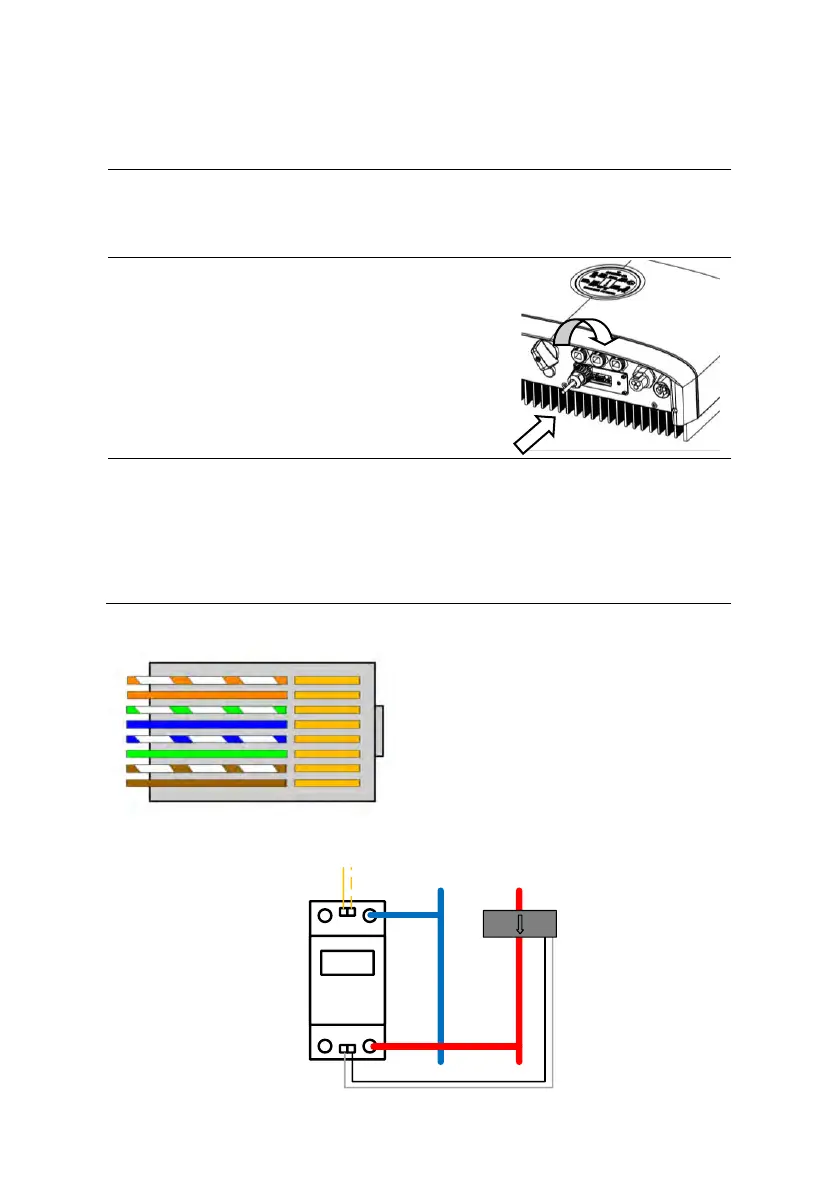
• Please use the smart meter cable
in the accessory box for
communication. Insert the RJ45
connector with water-proof cap
into the port marked “MULTI” on
inverter and fasten the cap.
STEP 3:
• The wires on the other end should be stripped and
connected to the smart meter accordingly. If the cable
length is not enough, please use the RJ45 extender in
accessary box to extend the cable.
“MULTI” Connector Pin Definition
Smart meter type: CHINT DDSU666-D
1 2
3 4
5 6
7 8
L
From Grid
CT
N
485A
485B
Smart Meter
Cable
To Inverter/Loads
1. METER_485B
2. METER_485A
3. GND
4. Reserved
5. Reserved
6. GND
7. Reserved
8. Reserved



 To Next Page