STEP 1: Install Soltaro APP
• Download the app on iOS APP Store and/or Google Play,
and install it on the mobile phone or pad.
STEP 2: Connect to the inverter
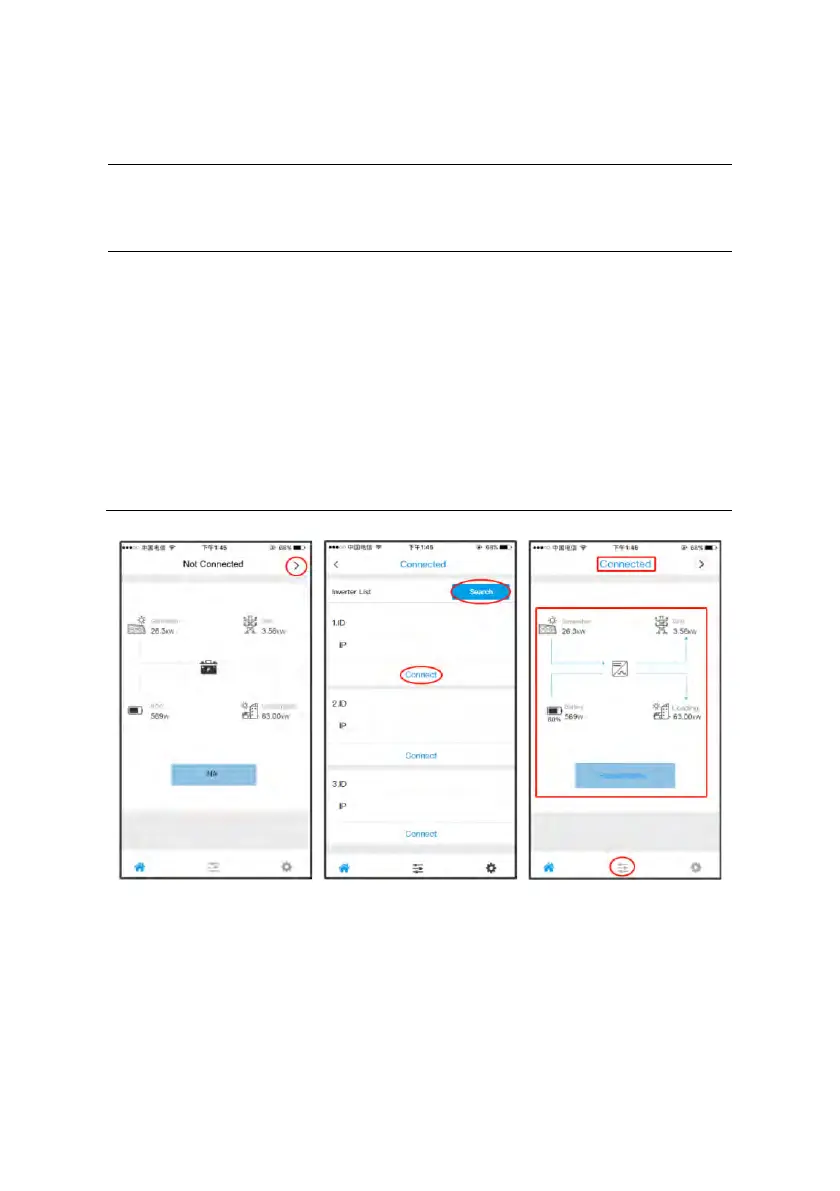
• Connect the mobile phone or pad to the same wireless
network (WiFi) of the inverter;
• Open the APP, click the arrow on the upper right corner of
home page;
• Search the inverter ID, and connect to target inverter;
• If it is successfully connected, the home page will show the
general status of the inverter. One can also check the
detailed status in the Parameter interface.



 To Next Page