19
Chapter 2 Hardware Setup
1 4
DIMM1
DIMM2
1
mPGA478B
Intel RG82845-D
Intel RG82845
1 3
FAN2
1 3
FAN3
1 3
FAN1
AGP 4X
PCI 1
PCI 2
PCI 3
PCI 4
PCI 5
PCI 6
FWH
WOL1
1 3
LPC I/O
Controller
AC'97
Codec
CNR
SW1
ON
DIP
1 2 3 4 5
IDE2
IDE1
1
1
1
FDC1
Li
Battery
82801BA
JBAT1
1 3
JP3
JP4
1 3
1 3
JP13
1 3
JP2
1 3
1 3
1 3
RT2
RT1
Peripheral Power Connector
+12 Power Connector
4 3
2 1
Main Power Connector
USB1
1
16
PS/2
MOUSE
PS/2
K/B
upper
lower
USB1
USB0
upper
lower
LPT1
COM1COM2
MIC
GAME/MIDI PORT
LINE
OUT
LINE
IN
NJP1
SPEAK RST KEYLOCKPWR/LED SUS_LED
IDE_LED IR PWR SMI
30
1
++
--
+
-
CD9
CD10
1 4
JAGP1
JAGP2
LED1
SCR1
CMEM1
1
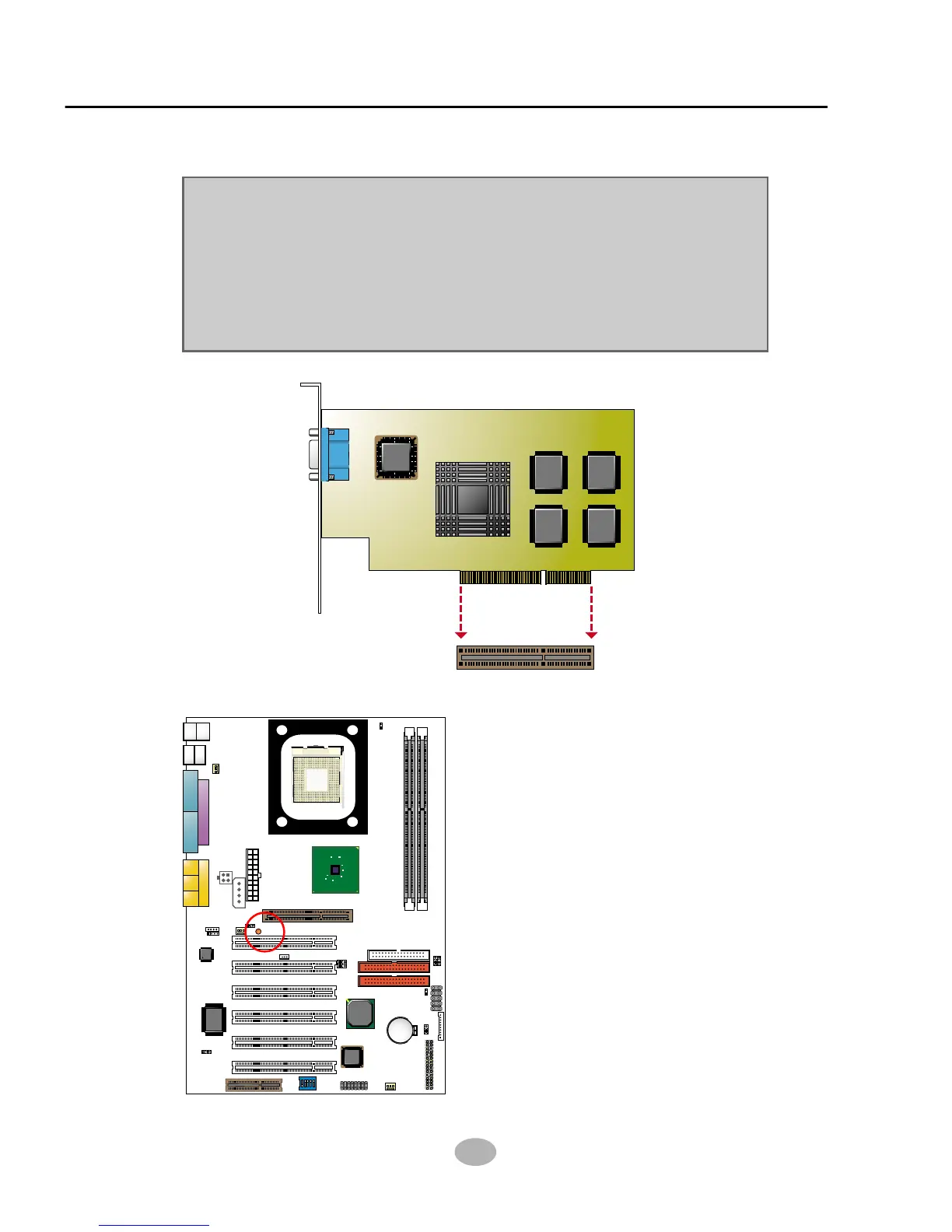
2-4 AGP 4X (Accelerated Graphics Port) Installation
Warning:
• The AGP 4X slot on board supports solely 4X AGP card configuration.
User should not insert 1X / 2X AGP card to this mainboard.
• LED1 AGP Protection Indicator is on board this series. In case inappropriate
AGP card (such as AGP 2X) is inserted into this AGP 4X Slot, LED1 will
light up to warn that AGP installation is inproper. The wrong AGP card
should be replaced; otherwise system cannot be booted.
AGP Accelerator
AGP 4X
LED1
AGP Protection Indicator



 To Next Page