47
Chapter 3 Software Setup
3-5 Install Hardware Monitor Utility
3-5.1 Installation
Hardware Monitor is built on this mainboard. Its installation is
programed to a fully automated mode on Windows 9X/Me/NT4/2000/
XP. User can follow the model installation below for its installation
on various Windows System.
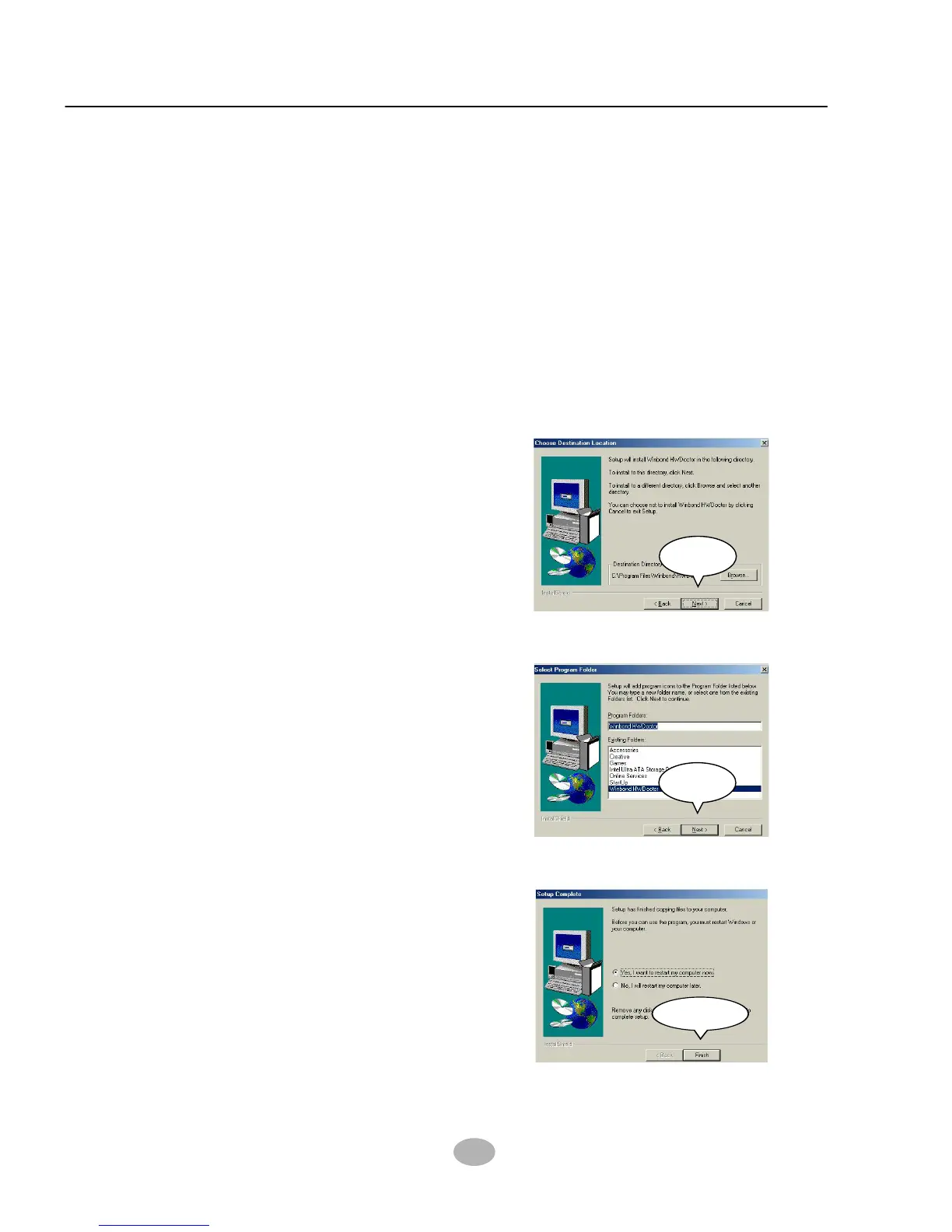
On the “Setup complete”
screen, click “Finish” to
restart your computer so
that the Utility can be put
into effect.
4
Finish
Select the Program folder
and click “Next” to continue.
3
Next
With the help of InstallShield
Wizard, installation program
automatically opens the
“Choose Destination Location”
screen. Click “Next to
continue.
2
Next
Following the procedures of opening the Support CD, click to “
Hardware Monitor Utility” to proceed.
1



 To Next Page