14
© Copyright 2018 Karaoke Home Entertainment www.khe.com.au / www.khe.co.nz / www.picknmix.com.au
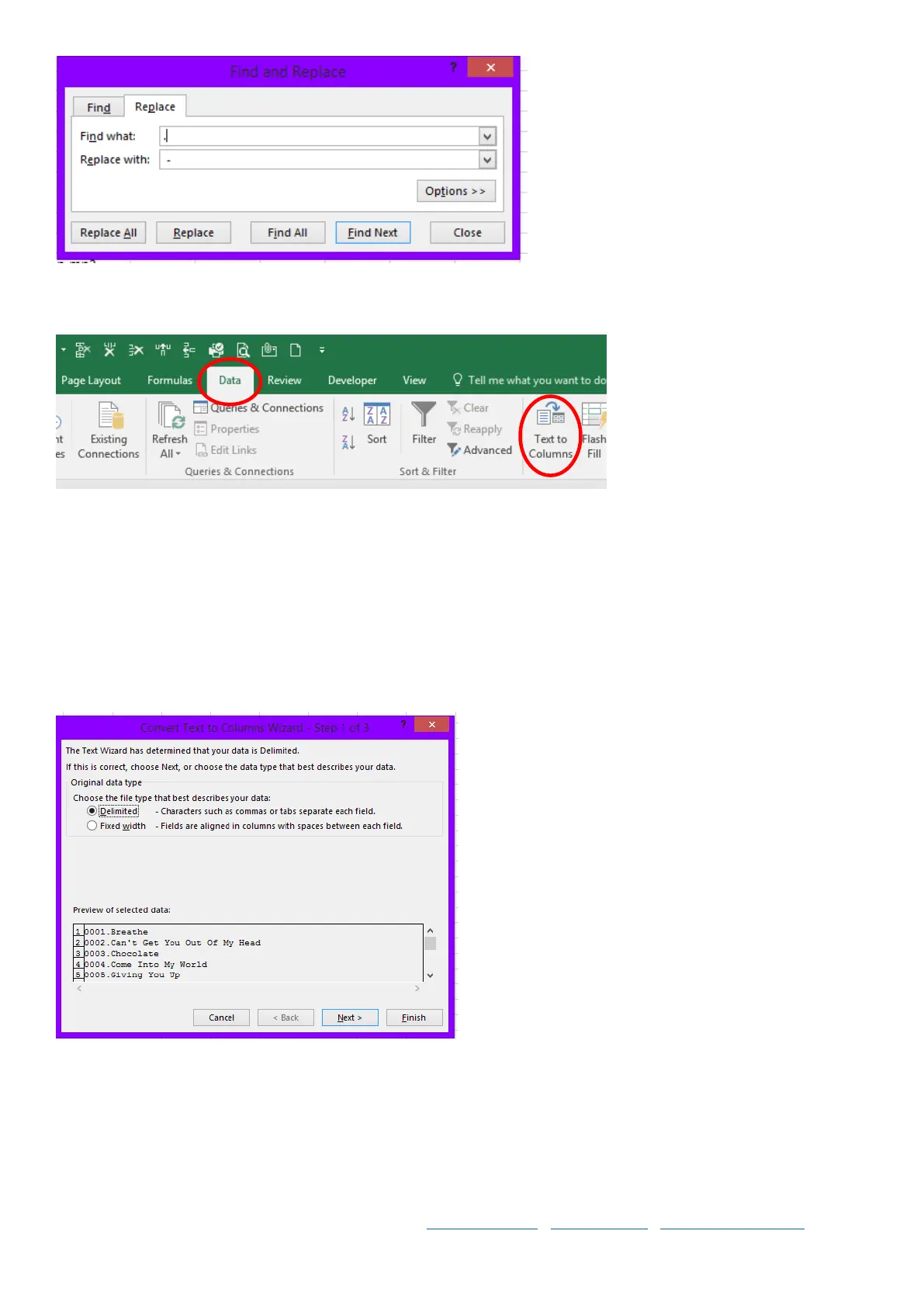
Step 4 Next, in Excel, highlight the column you wish to split, whichever column your title and artist has shown up in
by clicking on the A, B or C etc at the top. Then select DATA, and Text to Column
Step 5 Choose “Delimited” and click Next.
Step 6 Choose “other” and enter a hypen - then click next. And then finish.



 To Next Page