Please Note: If you find your music is a bit distorted even though you’re using a separate speaker and its
connected properly, you’ll need to also turn down the Music Volume on the MP4000 from factory they come set
to maximum. This can sometimes distort the music, as anything played all at maximum volume can distort. Find
the Music Volume controls on the remote
Please Note: If you are using a home theatre system it is best to change
the settings to 2-Channel Stereo however be aware that if your speakers are all
small satellite speakers you may still damage them as they are not designed for
the use of microphones. Sound bars are never recommended for karaoke.
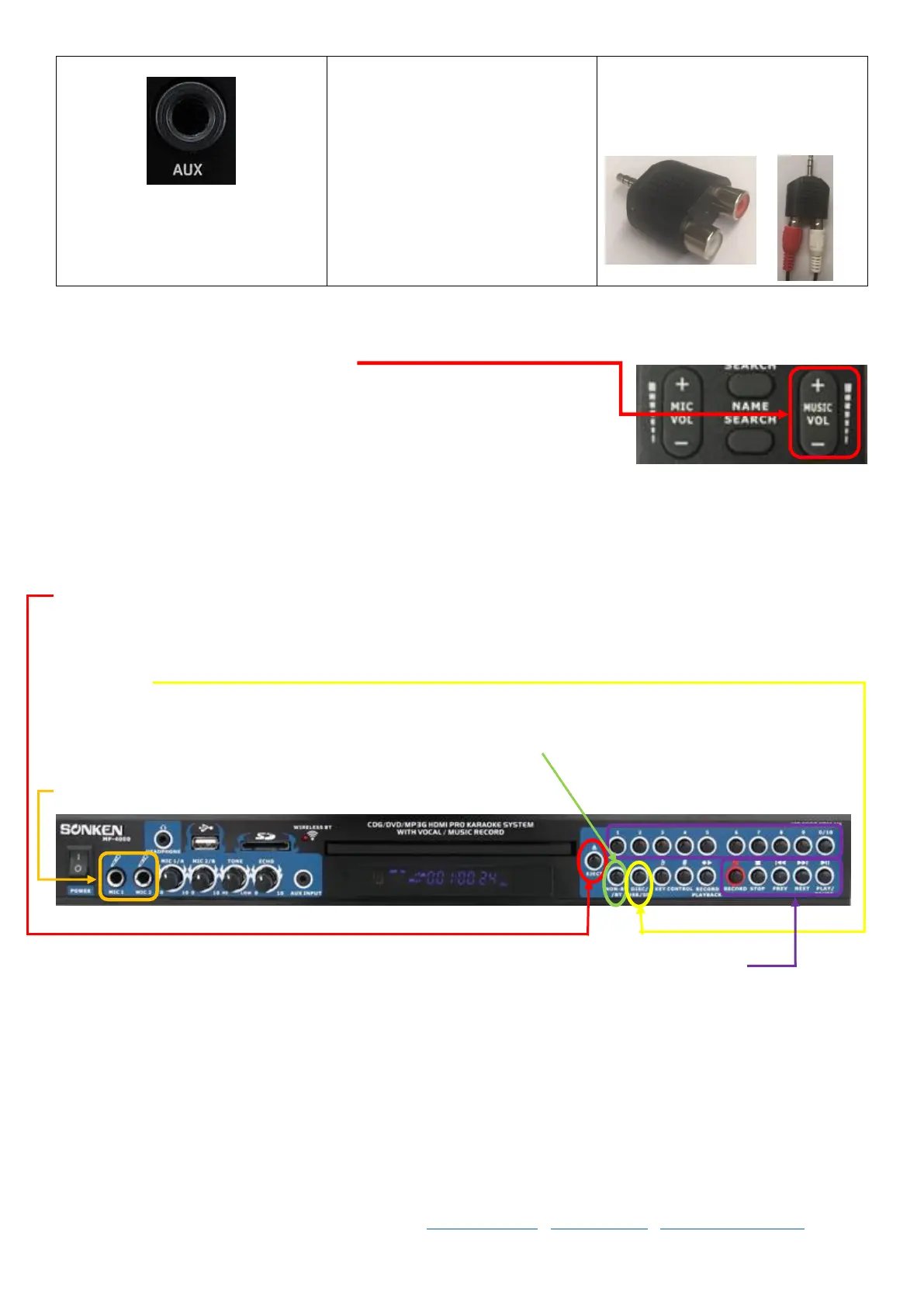
Getting Started with your MP4000
Your MP4000 Karaoke Machine plays either CD+G, VCD or DVD discs and also MP3+G karaoke digital files. You can
press the Open/Close button on the front of the machine or the remote to open the disc draw, put in a CD+G disc
and the first track of the disc will begin to play.
Or you can insert a USB stick (up to 32GB stick, or up to 1TB HDD with its own power supply formatted to FAT32),
click the DISC/USB button until it loads the USB menu, use the remote to select your song or Create A Song Book
(See Page) and simply type in the song number you want to sing.
Or you can press the NON-BT/BT button to switch to Bluetooth mode, search for the MP4000 device in your
Bluetooth settings and select, choose a song to play from your phone.
Plug in a microphone to the front or back port and start singing.
Basic functions like track numbers and play, pause, next etc are all on the right side of the machine
Multiplex (MPX) – Full Guide Vocals On/Off
As standard, karaoke songs show the on-screen lyrics (when played in a karaoke player like the MP4000), and plays
the music, whilst you sing the main vocal and you get cover backing vocals in the chorus line and where ever else the
original singer had vocals; this is traditional or true karaoke.



 To Next Page