29
© Copyright 2018 Karaoke Home Entertainment www.khe.com.au / www.khe.co.nz / www.picknmix.com.au
Create a Songbook on the MP4000
The Sonken MP4000 has a very useful feature, an in-built songbook generator which means you can create a
printable songbook with all your songs for a super easy song selection.
In order to create the song book, you must have all your songs in MP3+G format (2 files per song .cdg and .mp3) on
no more than an 32GB USB stick [or up to 1TB HD with its own power supply], with no other documents [Word Files,
Photos etc] present on the USB.
Tip: Before adding your songs, you must format* the USB to FAT32 to clear it of all other items and residual files. (See
below for how to do)
Please Note: These songs need to be in MP3+G in order for the words to appear on the screen, they need to be
unzipped, and named identically except for the .cdg and .mp3 extensions. The number of songs which a USB (32GB
approx. 3000) will hold is variable upon the song lengths.
Step 1 Insert the USB stick, press the “USB/SD Card” button until you see the [USB MODE] on the screen and wait for
the USB menu to come up on the screen
Note: If the machine starts playing the first song, press stop to return to the menu before continuing.
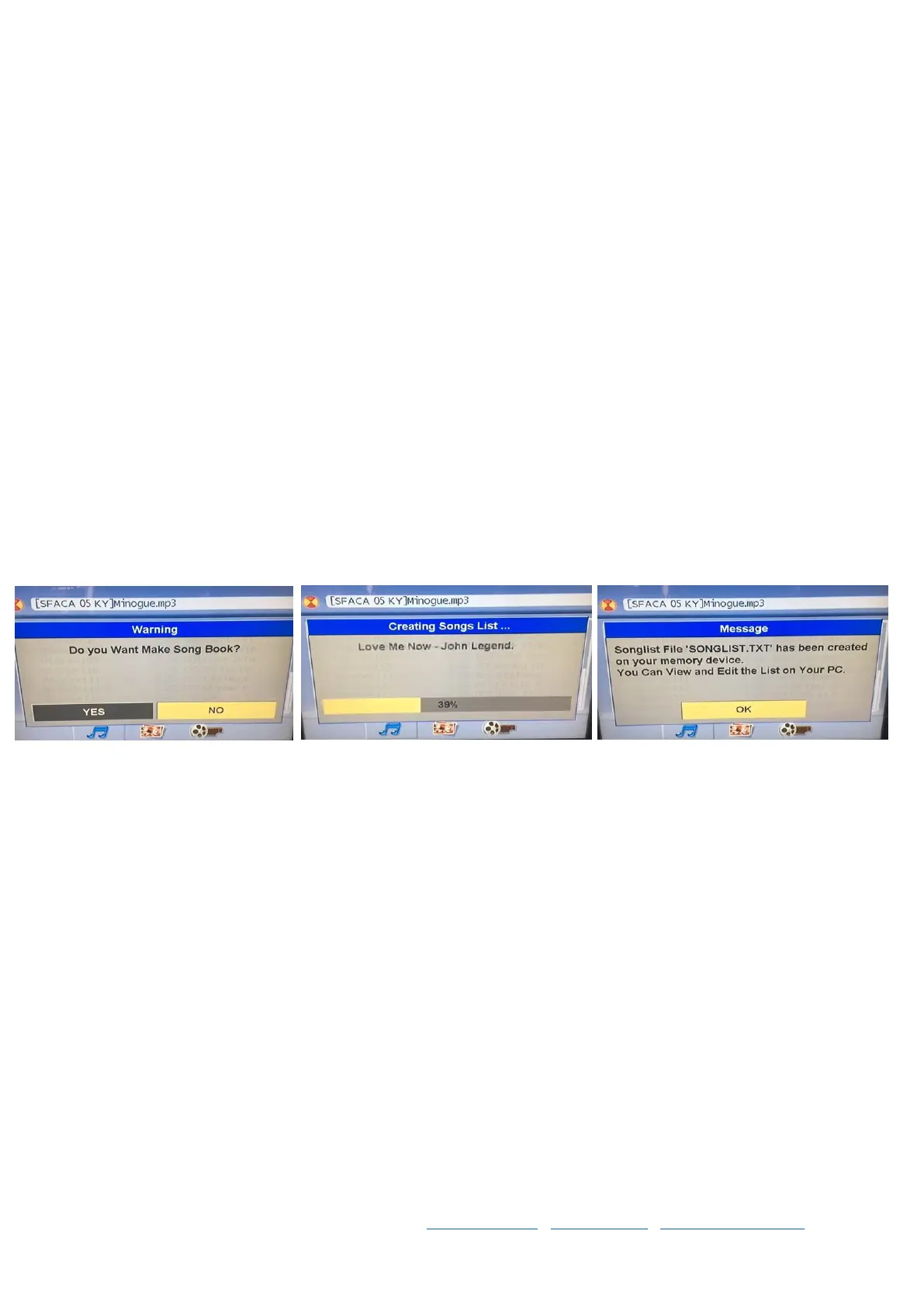
Step 2 Press the SONGBOOK button on the remote, follow on-screen prompts and wait for the machine to finish
crunching your songbook
Step 3 Once its done, take out the USB stick and insert it into your computer
Step 4 Open the songbook .TXT file document on the USB and you’ll see all your songs listed with a dedicated
number in front of the machine, this is the song number that you’ll enter to bring up that specific song.
If you would like instructions on how to format the songbook in an excel document to change the columns around,
and format the list by artist or by song title and clean up the list a bit further for a nice printing song book, see page
10 for “How to Format a Song Book”.



 To Next Page