13
© Copyright 2018 Karaoke Home Entertainment www.khe.com.au / www.khe.co.nz / www.picknmix.com.au
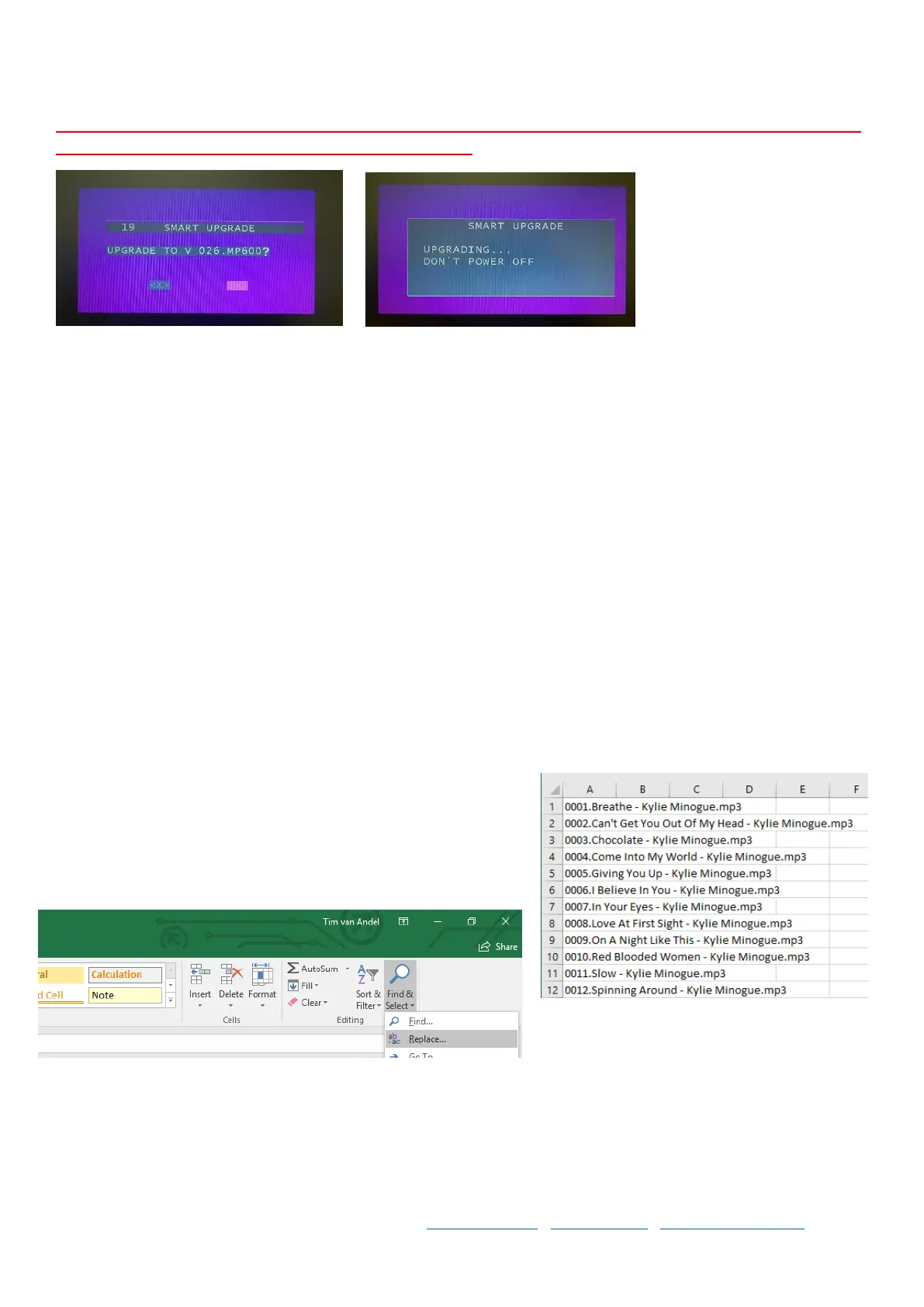
You do not have to select anything, the upgrade will count down from 20 to 0 and then begin the upgrade process,
or you can use the remote enter key to start it immediately.
Do not switch the player off or remove the USB memory stick whilst unit is upgrading as your player will not work
thereafter, and is not covered under warranty if you do so.
Step 7 The upgrade will take less than a minute and when it is done the draw will open on the machine, once this is
done you can close the draw and remove the USB stick, and the upgrade is complete.
Formatting the CSV Excel Song List
For an MP600
In order to generate the song list, you must follow the instructions on Page 4 of this document. Once the .csv Excel
document is on your USB and inserted to your PC, you can open it and see how your files have transferred to song
list. If there is artist names missing or different characters in the middle of song titles etc it may not be as neat to
work with, but you can edit this all during this process in the Excel doc.
Step 1 Once you have all your data open in an Excel spreadsheet
like this, you can start configuring the data into different columns
and sorting the song list either by title or artist, or both in two
separate lists.
Step 2 Next, go to Find and Select and click “Replace”
Step 3 Enter a full stop in the first field “find” and a hyphen - in the second field “replace” like so.. and click “replace
all”.



 To Next Page