23
© Copyright 2018 Karaoke Home Entertainment www.khe.com.au / www.khe.co.nz / www.picknmix.com.au
However, some people need to learn a song or simply don’t want to sing alone; for this, we have Multiplex (MPX)
versions which have full cover guide vocals throughout the entire song which can be switched on/off as you wish. So
you can sing it as many times as you need with the vocal to learn the song and then switch it off and go solo!
There are no original artist performances used in any karaoke.
Not all karaoke songs have this feature, so it’s important to look for the red MPX or Multiplex in the title.
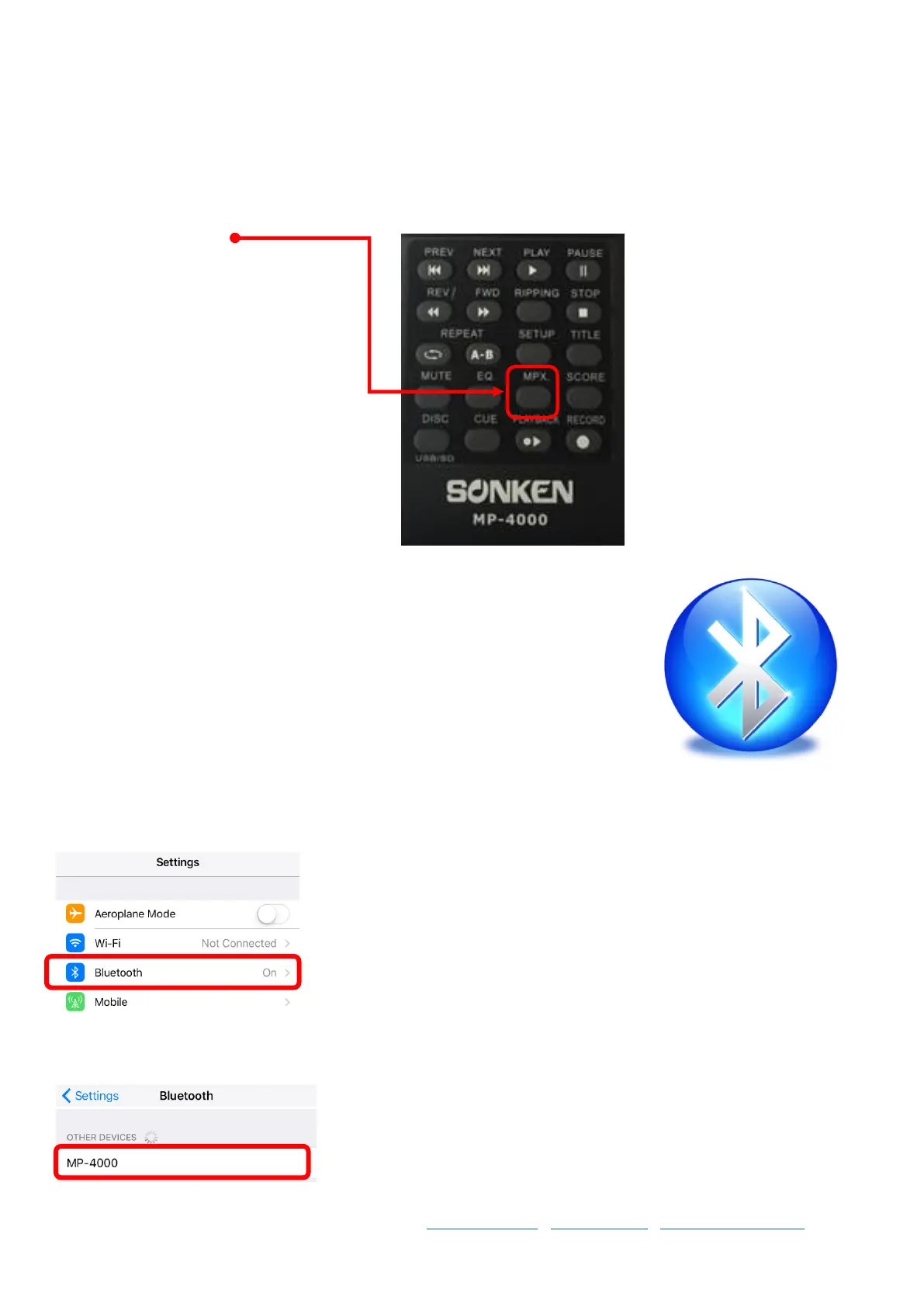
To change between the full cover guide vocal and the no vocal version, press the MPX button at the top of the
MP4000 remote control
Bluetooth on your MP4000
The new model MP4000 has now got Bluetooth function so you can stream music
from your phone, tablet device etc through the MP4000, you can sing along with
your favourite artists and you can also record your performance whilst singing along
to Bluetooth Audio. Please Note: Bluetooth will not show lyrics on the TV etc, it is
audio only.
How to Use Bluetooth
1. Click the NON-BT/BT button on the front of the machine, it will tell you it’s trying to connect to Bluetooth.
2. Open your phone / tablet settings
3. Select Bluetooth
4. Search for devices, click on MP4000 when it comes up



 To Next Page