27
© Copyright 2018 Karaoke Home Entertainment www.khe.com.au / www.khe.co.nz / www.picknmix.com.au
Understanding the USB Platform on the MP4000
When you insert a USB stick (up to 32GB), you have to press the USB/SD card button on the bottom of the remote
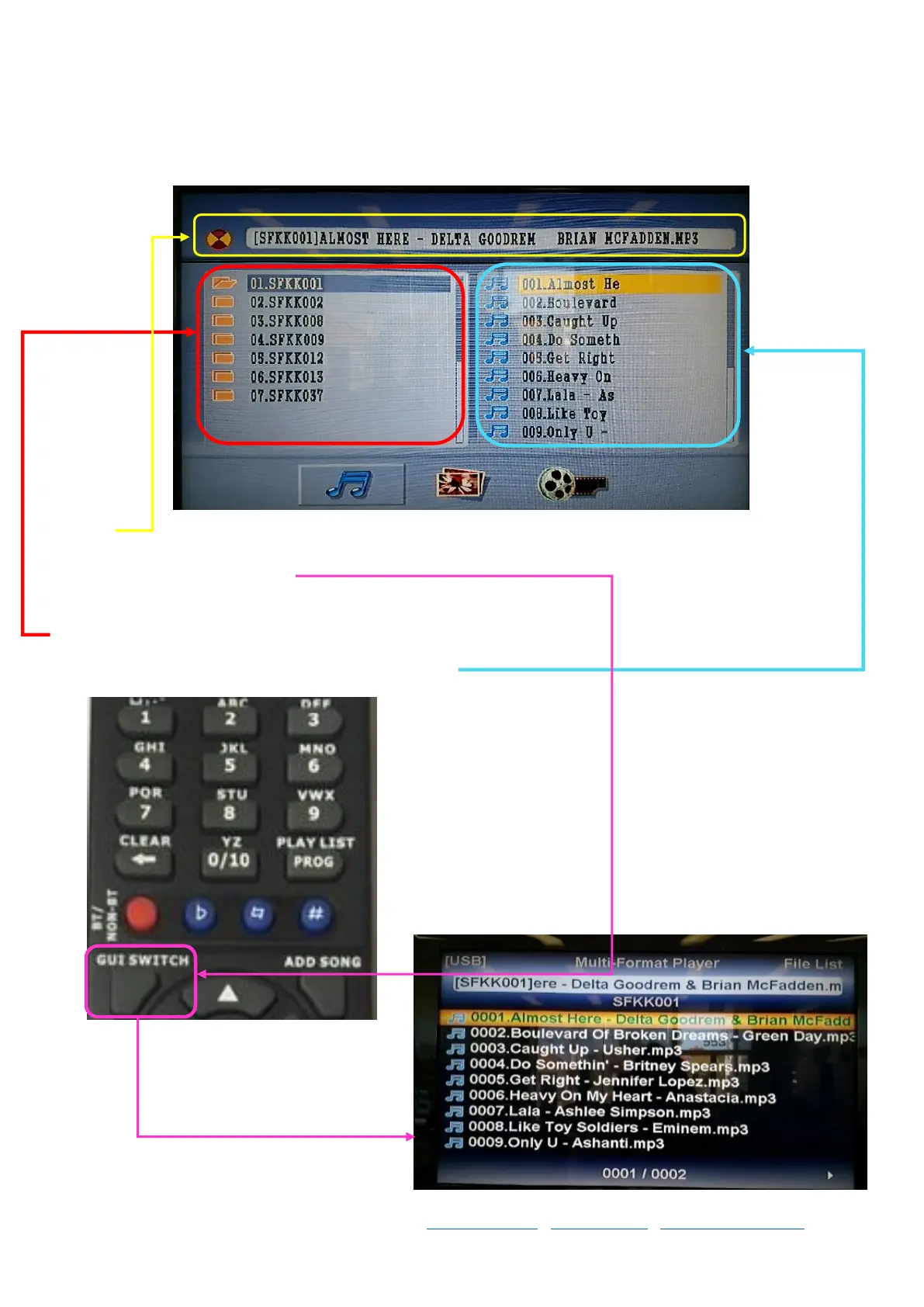
to switch to USB mode where it will show you two columns, like below.
At the top you will see the currently title and artist that you have highlighted, if you’re having trouble reading the
song titles in this view, click “GUI SWITCH” on the remote to switch to wide view
On the left hand column side is the folders that you have on your USB stick
On the right hand side is the song within the given folder



 To Next Page