30
© Copyright 2018 Karaoke Home Entertainment www.khe.com.au / www.khe.co.nz / www.picknmix.com.au
Format Song Book on the MP4000
From .txt file to Excel Spreadsheet
In order to generate the song list, you must follow the instructions on Page 9 of this document. Once the .txt file is
on your USB and inserted to your PC, you can open it and see your list of songs in one simple list with all the song
numbers in front.
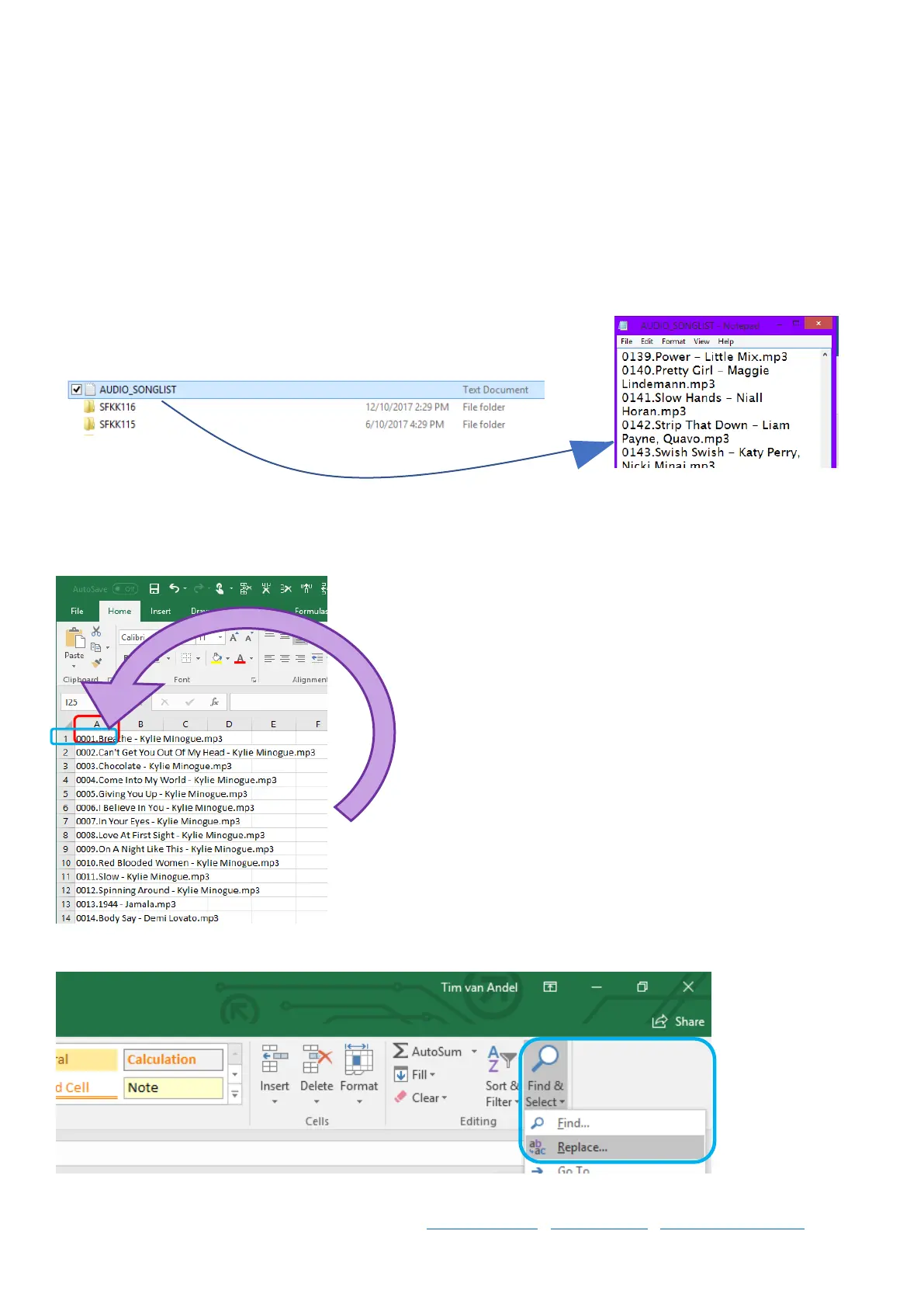
Step 1 Locate the song list file that the karaoke machine has put on your
USB/SD Card device and open it. Also open an Excel Spreadsheet Document.
Step 2 Now copy all the data from the .txt file which has all the songs and paste it into A1 cell on your Excel
Spreadsheet. It will look like this:
Step 3 Next, go to Find and Select and click “Replace”



 To Next Page