A-Scan Operation and Clinical Use Section 3
4. Verify that the measurement obtained is
10.00 ±0.1 mm. If it is not, repeat the
calibration procedure until an acceptable
measure is obtained.
If necessary, the gain control may be adjusted by
touching the [ MIN ] and [ MAX ] buttons at the
bottom center of the Calibration Screen. The
resulting gain as a percentage of the maximum
will be displayed. Alternatively, the
[ AUTO GAIN ] button can be selected, which
will instruct the P
ACSCAN™ to automatically
adjust the gain setting.
IMPORTANT
If a measure within 10.00 ± 0.1 mm cannot be
obtained, contact Sonomed service department
for assistance.
It is recommended that calibration be performed
prior to obtaining measurements; however, the
calibration mode can be skipped if so desired by
touching any of the other menu buttons on the
right side of the screen when the Calibration
Screen appears.
ENTERING USER INFORMATION
Up to five (5) different user profiles may be
entered and permanently stored within the
P
ACSCAN™ memory. User profiles allow for
user identification and selection of a particular
IOL formula and associated constants.
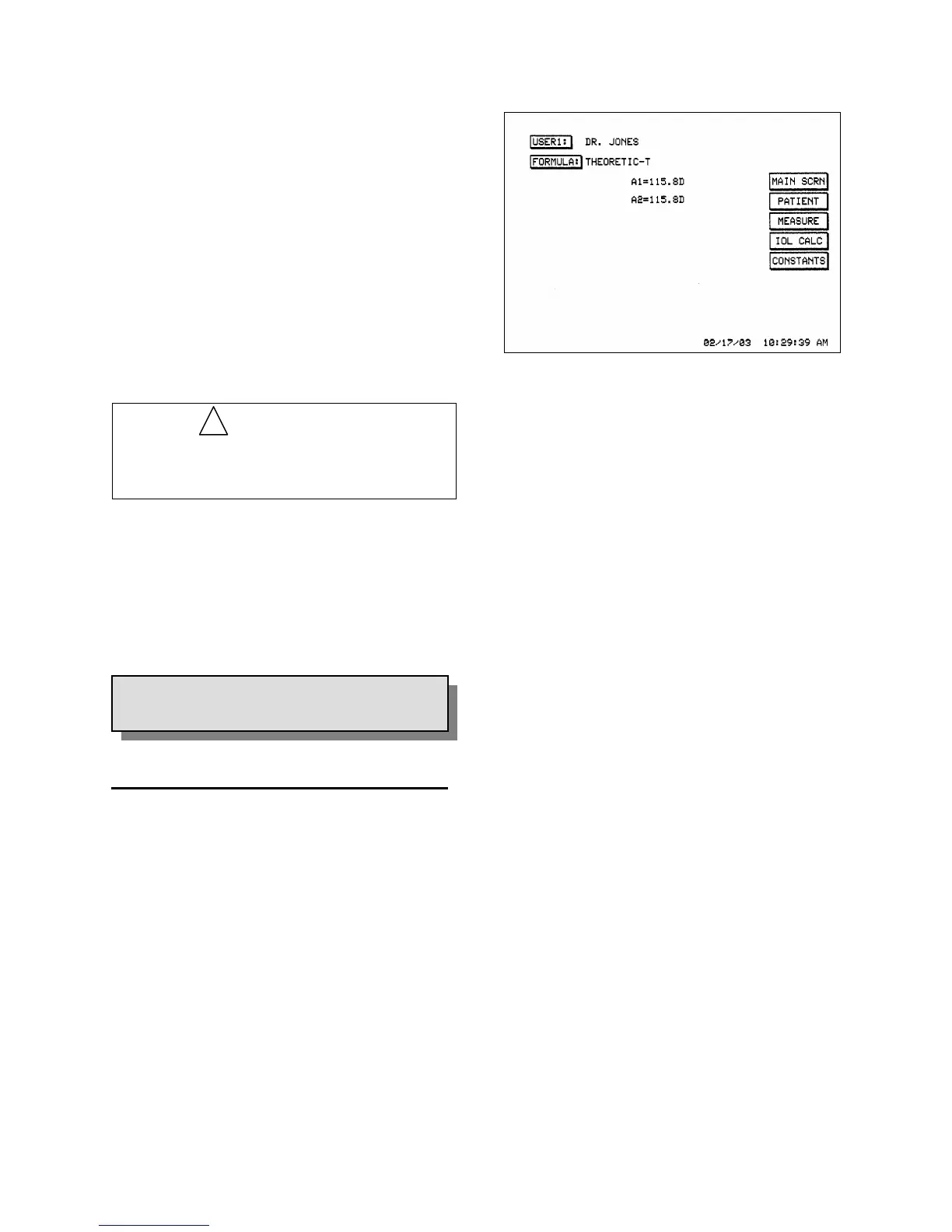
1. Entering / Editing User Identification.
Touch the [ USER DATA ] button. Verify
that the User Data Screen appears (see
Figure 3-2).
Figure 3-2. User Data Display
!
Touch the [ ADD USER ] button to add a
new user profile, or the [ EDIT ] button to
edit an existing user profile. Enter the name
and/or ID of the user by touching the
appropriate alphanumeric buttons. When
finished, touch the [ ENTER ] button.
Touch the [ USER# ] button to advance to
the next user selection.
Touch the [ DONE ] button when finished.
2. IOL Formula Selection. Within the User
Data Screen, touch the [ FORMULA ]
button to scroll through the different
available IOL formulas. Note that default
values for the associated constants are given
with each formula. The constant default
values are shown in Table 3-1.
3.3
SYSTEM SET-UP
IOL constants (main and alternate) are
entered two per user for each of five users
for a total of 10 constants.
3 - 2 Doc # 0300-A-1901-3D



 To Next Page