Section 3 A-Scan Operation and Clinical Use
Table 3-1
IOL Formula Constant Default Values
IOL Formula Constants Default Values
Hoffer-Q ACD 3.68 mm
Theoretic-T A-Constant 115.8 D
Regression A-Constant 115.8 D
Holladay S-Factor -0.02 mm
Binkhorst ACD 3.68 mm
Haigis (option) A-Constant 115.8 D
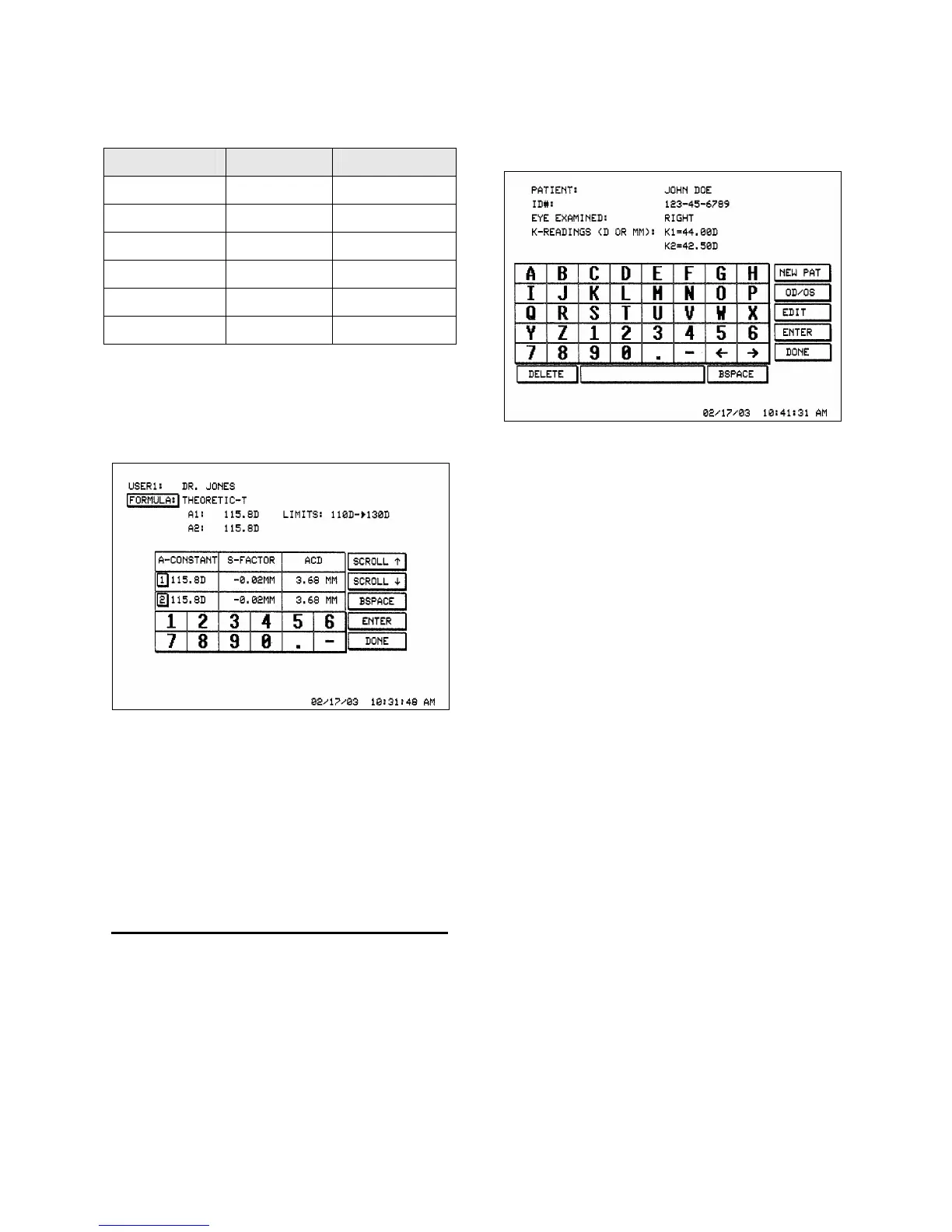
In order to change the associated constants,
touch the [ CONSTANTS ] button. Verify
the Constants Screen appears (see Figure
3-3).
Figure 3-3. Constants Screen Display
As shown, all of the constants are displayed
in the table of the Constants Screen. Select
the [ 1 ] or [ 2 ] button to edit the appropriate
constant. Touch the [ DONE ] button when
finished.
ENTERING PATIENT INFORMATION
Patient information including name,
identification number, K readings, and eye to be
examined can be stored within P
ACSCAN™
memory. Only one patient may be stored at a
time, but the information will remain until
overwritten.
1. Touch the [ PATIENT ] button. Verify that
the Patient Screen appears (see Figure 3-4).
Figure 3-4. Patient Screen Display
2. Within the Patient Screen, enter information
for a new patient by touching the
[ NEW PAT ] button or edit the existing
patient information by touching the [ EDIT ]
button.
3. Enter the patient name by touching the
appropriate alphanumeric keys. When
finished entering the name, touch the
[ ENTER ] button.
4. Enter the patient ID number, and touch the
[ ENTER ] button when finished.
5. Enter the eye to be examined by touching
the [ OD / OS ] button to toggle between the
left and right. When the correct eye has been
selected, touch the [ ENTER ] button.
6. Enter the K1 and K2 readings touching
[ ENTER ] after each reading. The K1 and
K2 readings may be entered in either
Diopters (range of 20.00D to 60.00D) or as
radius of curvature (range 5.63mm to
16.87mm). Touch the [ DONE ] button
when finished entering the patient
information.
Doc # 0300-A-1901-3D 3 - 3



 To Next Page