Pachymeter Operation and Clinical Use Section 4
MEASUREMENT MODES
The user is provided with four (4) measurement
modes:
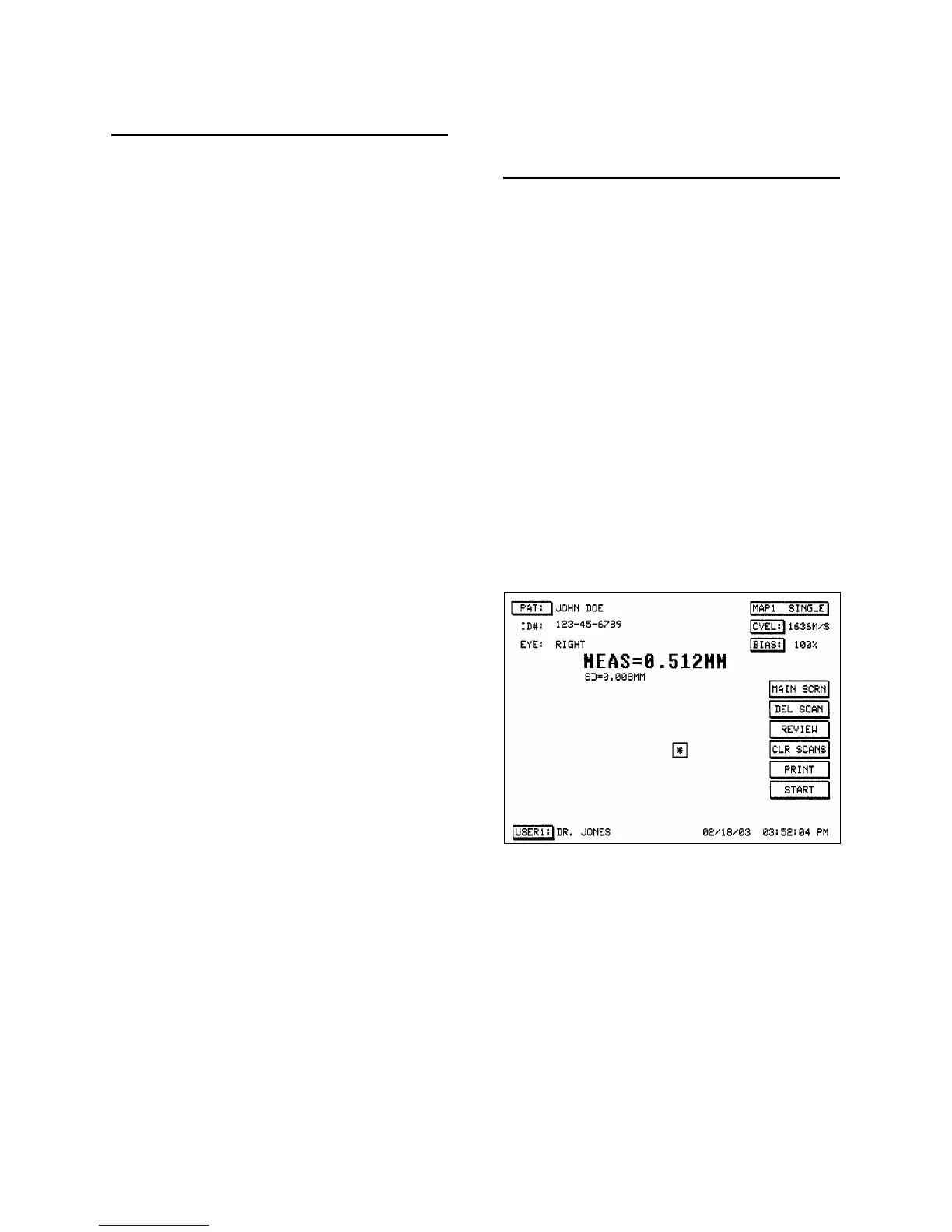
¾ Single Reading / One Point. This mode
allows the user to obtain a single reading
at one point along the corneal surface.
This mode is denoted as
“MAP1 SINGLE”.
¾ Multiple Readings / One Point. This
mode allows the user to obtain up to five
(5) readings at one point along the
corneal surface. This mode is denoted as
“MAP1 MULTI”.
¾ Single Reading / Multiple Points. This
mode allows for the user to obtain a
single reading at five (5) different points
along the corneal surface. This mode is
denoted as “MAP2 SINGLE”.
¾ Multiple Readings / Multiple Points.
This mode allows for the user to obtain
up to five (5) readings at each of five (5)
different points along the corneal
surface. This mode is denoted as
“MAP2 MULTI”.
It should be noted that each reading which is
obtained actually consists of the average
obtained from 256 individual measurements.
To select the desired mode, touch the mode
button to scroll between the four (4) modes.
MEASUREMENTS –
SINGLE READING
SINGLE POINT
1. Make certain the probe tip is clean & dry.
2. Place the probe tip onto the cornea starting
at the optical center, making certain that the
probe tip is perpendicular to the surface of
the cornea.
3. Depress the foot pedal or touch the
[ START ] button to activate the
measurement function.
4. Upon completion of an acceptable
measurement, the average reading will be
displayed in the upper center of the screen
along with the standard deviation for the
reading (remember that each reading
consists of 256 individual measurements).
The reading is stored until another
measurement is performed.
Figure 4-4. MAP1 SINGLE Screen Display
4 - 4 Doc # 0300-A-1901-3D



 To Next Page