Maintenance and Service Section 5
should be protected from temperature extremes
and humidity which can cause condensation
within the unit. The probes should be removed
from the P
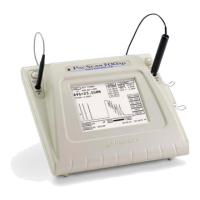
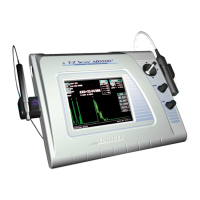
ACSCAN™ and stored where they will
be protected from damage.
PROBE GENERAL INSPECTION
1. The probes should be checked daily for
function as well as for any visible damage.
2. Always check the cable for frayed or broken
wires which may interfere with the proper
functioning of the probe.
3. When connecting the probe to the instrument
be sure to align the red indicator dots on
both the jack and cable connector.
4. Verify that the internal fixation light of the
A-probe is operating.
5. Carefully examine the probe tip for any
chipping or rough edges which may injure
the cornea.
6. If applicable, examine the "Soft-Touch"
mechanism of the A-probe to ensure that it
slides freely and with minimal force.
CAUTION
DO NOT attempt to disassemble or lubricate
the slide mechanism as this may cause
permanent damage to the internal components.
5.2
-SCAN FUNCTIONALITY CHEC
CALIBRATION CHECK
It is recommended that the functionality of the
P
ACSCAN™ be verified by means of the
calibration procedure prior to performing actual
measurements.
The P
ACSCAN™ defaults into the Calibration
Screen every time the A-Scan mode is selected.
To perform the calibration procedure, follow
these steps:
1. Place a small amount of ultrasound coupling
gel onto the tip of the A-scan probe.
2. Place the probe onto the calibration cylinder
located on the right side of the system. The
probe should be placed perpendicular to the
cylinder.
3. Observe the measurement displayed on the
touch screen. The measurement will freeze
once it has stabilized and a calibration status
message will be displayed.
!
4. Verify that the measurement obtained is 10
±0.1mm. If it is not, repeat the calibration
procedure until an acceptable measure is
obtained.
IMPORTANT
If a measure within 10 ±0.1mm cannot be
obtained, contact Sonomed service department
for further help.
!
It is recommended that calibration be performed
prior to obtaining measurements; however, the
calibration mode can be skipped if so desired by
touching any of the other menu buttons on the
right side of the screen when the Calibration
Screen appears.
5 - 2 Doc # 0300-A-1901-3D



 To Next Page