Section 4 Pachymeter Operation and Clinical Use
MEASUREMENTS –
MULTIPLE READINGS
SINGLE POINT
1. Make certain the probe tip is clean & dry.
2. Place the probe tip onto the cornea starting
at the optical center, making certain that the
probe tip is perpendicular to the surface of
the cornea.
3. Depress the foot pedal or touch the
[ START ] button to activate the
measurement function.
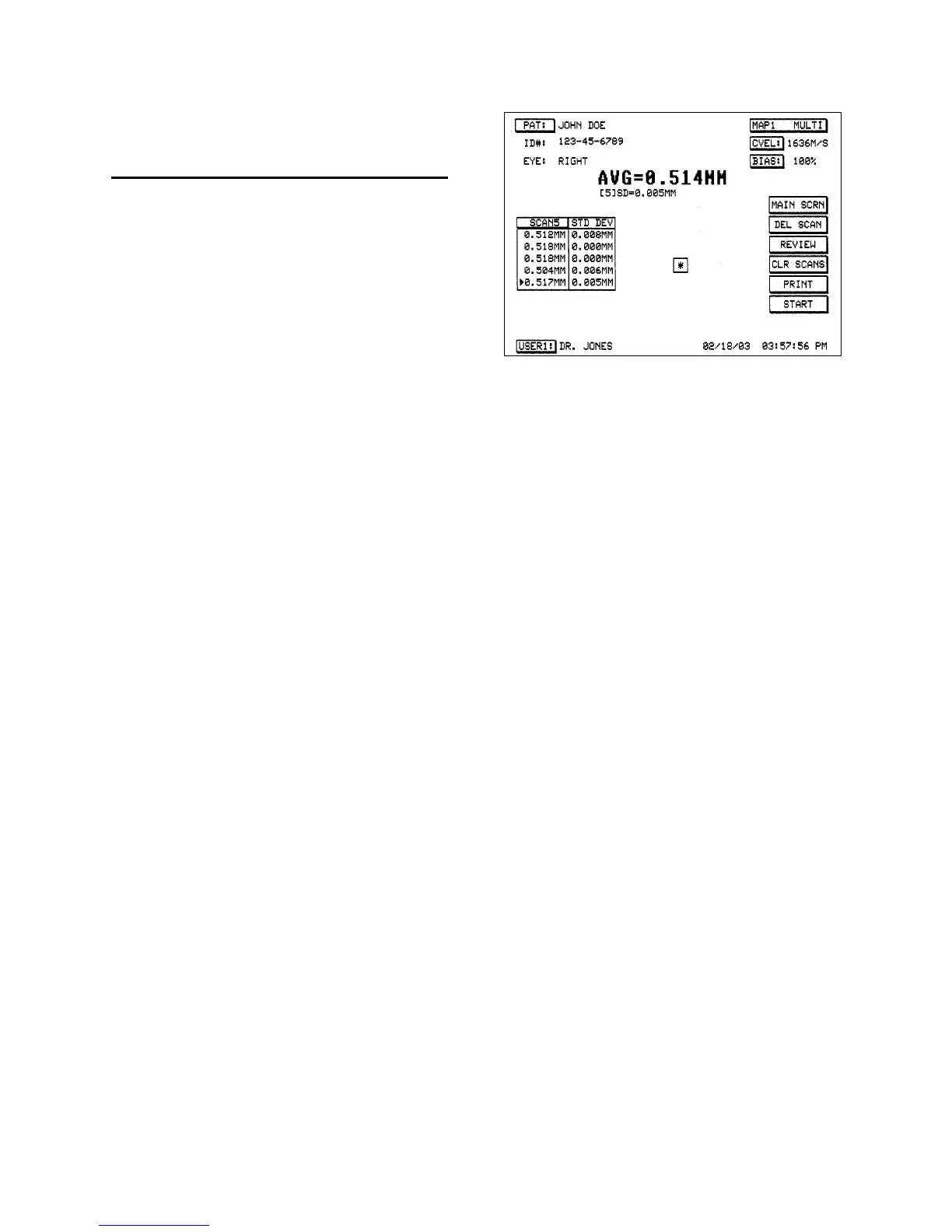
4. Upon completion of an acceptable
measurement, the average reading will be
displayed on the left of the screen along with
the standard deviation for the reading
(remember that each reading consists of 256
individual measures).
5. Repeat steps 1-4 to obtain another reading.
6. The second reading average and standard
deviation will be displayed on the left of the
screen underneath the first reading. Also
displayed in the upper center of the screen
will be the average and standard deviation
for the group of readings.
7. Repeat for up to five (5) readings.
8. The readings are stored until another group
of measurements is performed and/or a
particular reading is deleted. Individual
readings can be deleted by selecting the
particular reading to delete and touching the
[ DEL SCAN ] button. All readings may be
deleted by touching the [ CLR SCANS ]
button.
Figure 4-5. MAP1 MULTI Screen Display
Doc # 0300-A-1901-3D 4 - 5



 To Next Page