M2-M Operating Manual | Mounting and Connecting
M2-M_Operating_Manual_2.0.0
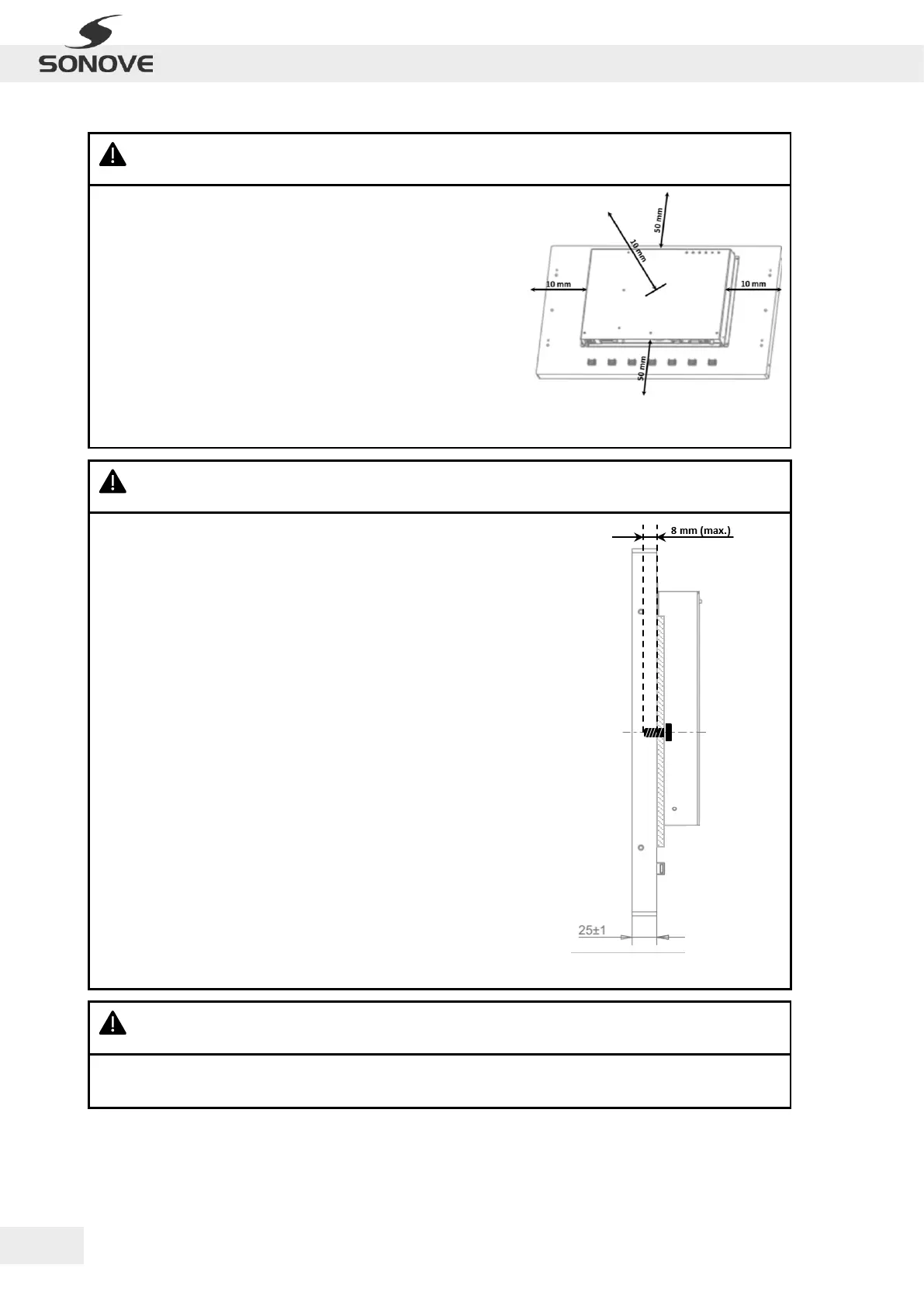
WARNING: Ensure adequate cooling of product! Non-observance of this information may cause
electric shock or hazard, fire, product damage and/or severe or fatal injuries!
· Check for adequate air circulation around product
(refer to adjacend Figure)!
· Notice that LED of OSD Control Pad signals error by flashing
red if internal temperature rises > 60 °C!
WARNING: Ensure suitability of mounting components/ area! Non-observance of this information
may cause electric shock or hazard, fire, product damage and/or severe or fatal injuries!
· Check thickness of the installation plate for mounting
suitability!
· Check wall/ ceiling for mounting suitability (strength to carry
min. 2.5 x monitor + mounting accesories)!
· Check bracket for mounting suitability (strength to carry
monitor)!
· Check mounting components (e.g. screws, anchors) for
mounting suitability (strength to carry min. 2.5 x monitor +
mounting accessories)!
· Check screws for correct immersion depth of max. 8 mm
(refer to adjacend Figure)!
Figure 3: Immersion depth of screw
WARNING: Ensure comfortable working position of the product! Non-observance of this
information may cause uncomfortable working conditions and/or injuries!
· Check for availability of sufficient space for good operability in front of product!
· Check for ergonomically correct height of the product!
Figure 2: Required distance for adequate air
circulation


 To Next Page