M2-M Operating Manual | Operating
M2-M_Operating_Manual_2.0.0
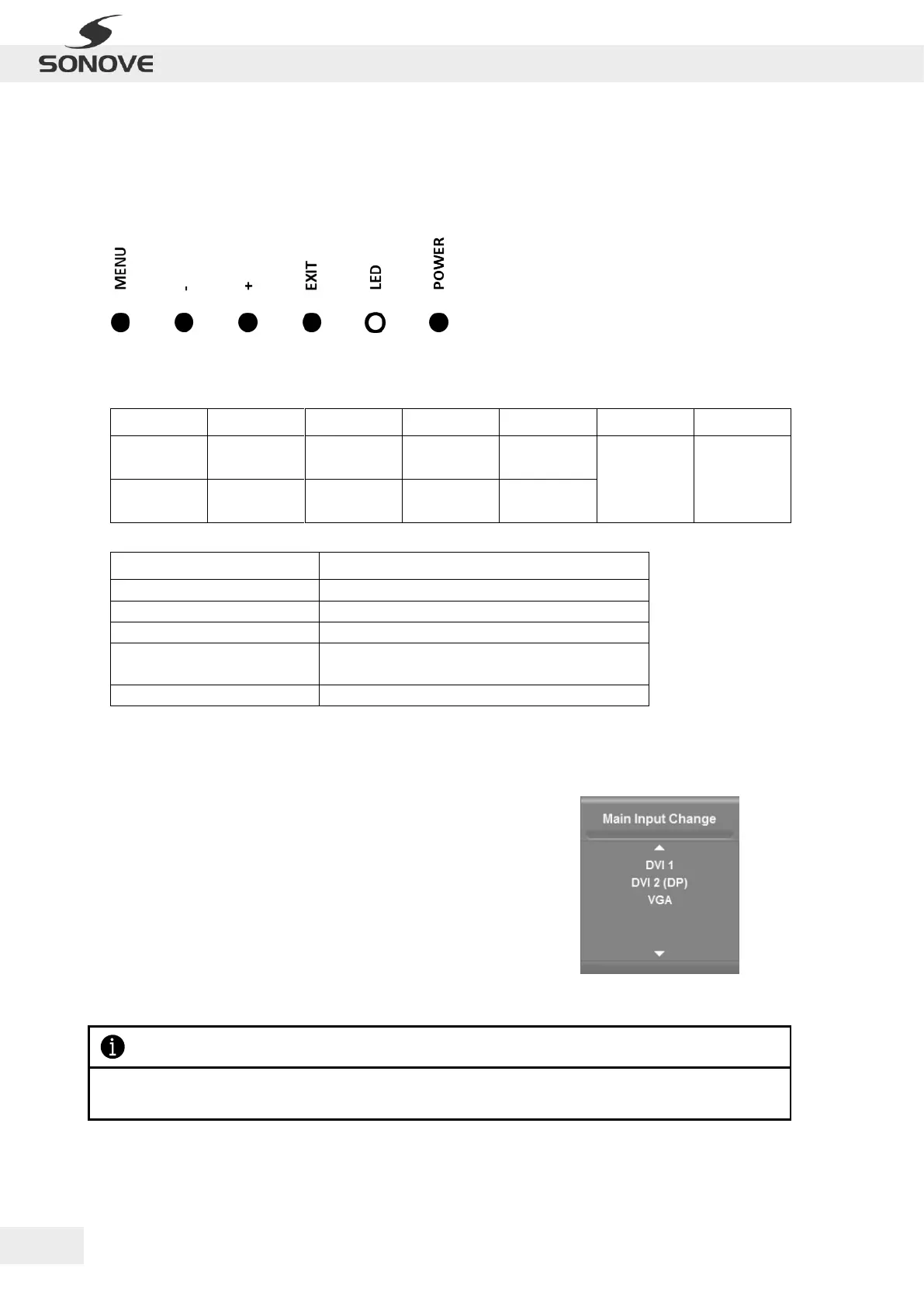
4.2 OSD CONTROL PAD
The different parameters of the OSD can be adjusted via an external interface. Use the OSD Control Pad to
open/close the OSD Menu and to navigate through the menu structure. The OSD Control Pad is located at the
back of the monitor and contains the following keys:
Figure 20 OSD Control Pad
The functions of the individual keys are as follows:
Signals
status of the
monitor
Table 5: Key functions of OSD Control Pad
Error!
Please contact our service and support team!
Table 6: LED status of OSD Control Pad
4.3 OSD INPUT SELECTION
To select between the different input ports, proceed as follows:
1) When the OSD Menu is closed press the [Exit] key on the
keypad.
2) The OSD Dialogue “Main Input Change” will be opened (refer to
the adjected figure).
3) Now you can manually switch to a specific input port.
Please notice that only ports which are enabled in the firmware and by the display configuration can be
selected in this dialog.
Figure 21: OSD Dialogue “Main
Input Change”



 To Next Page