M2-M Operating Manual | Operating
M2-M_Operating_Manual_2.0.0
4.4.2 SUB MENU – DISPLAY SETTINGS
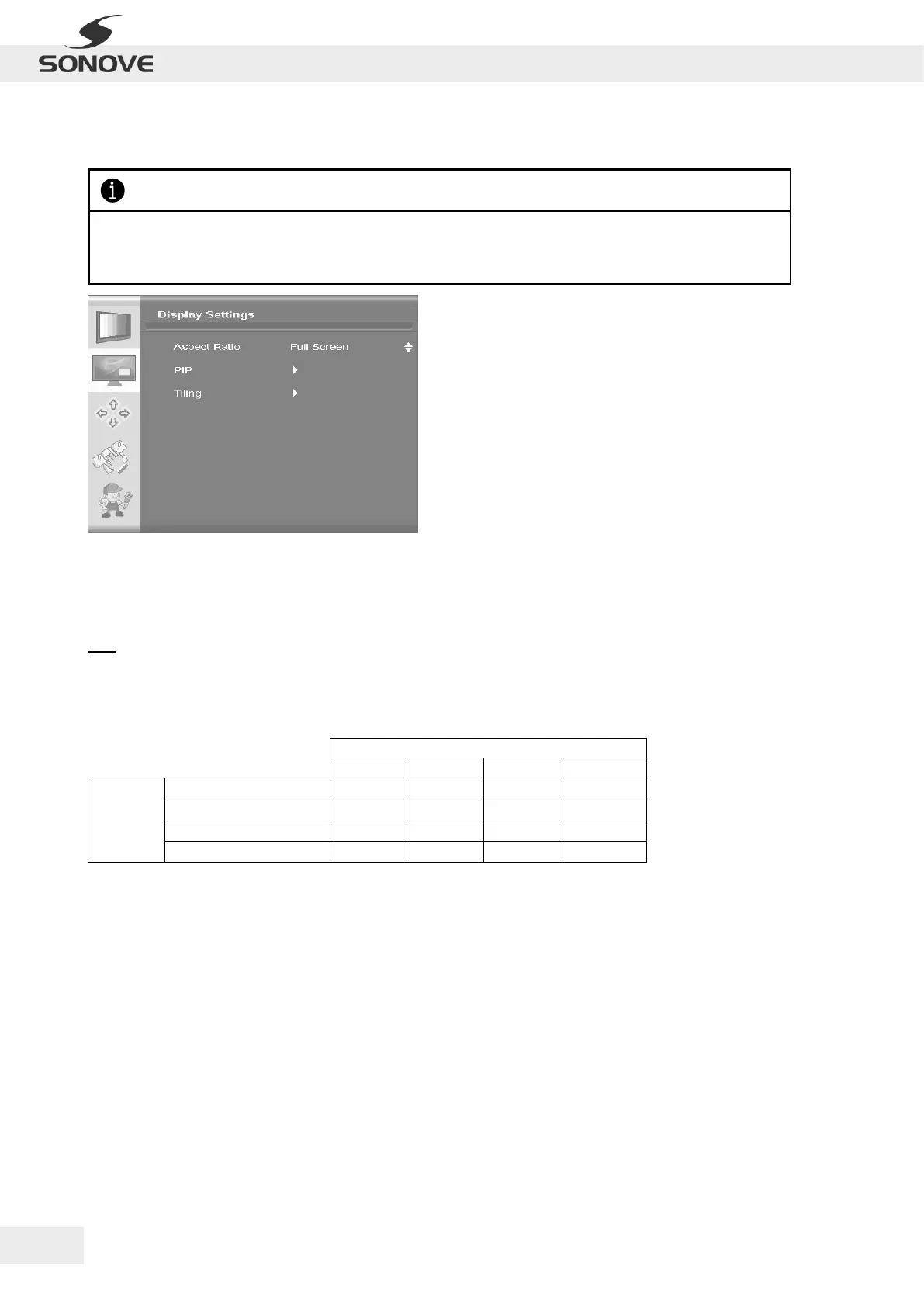
Figure 28: OSD Menu “Display Settings”
Aspect Ratio
Display Settings | Aspect Ratio
Used to adjust display between full screen, panoramic, Letter Box Expand, Pillar Box and 1:1.
PIP
Display Settings | PIP
Picture-In-Picture can be used to display HDMI/DVI and another input at the same time. The following matrix
shows the possible combinations of Main- and PIP Channels:
Table 7: Possible combinations of Main- and PIP Channels
> PIP Mode
Display Settings | PIP | PIP Mode
Pip mode can be toggled between Off, Small PIP, Large PIP, PIP-Tall and Side-by-Side.
> PIP position
Display Settings | PIP | Vertical
Vertical PIP Position can be adjusted using the slider bars.
> PIP position
Display Settings | PIP | Horizontal
Horizontal PIP Position can be adjusted using the slider bars.
> PIP position
Display Settings | PIP | Transparency
Transparency of PIP can be adjusted using the slider bars.
Please notice that the range of possible configurations within the OSD Menu “Display Settings” depends on
the input type as well as the version of the firmware and may therefore differ from the following figures and
descriptions.


 To Next Page