44 Instruction for use | Supercal 5
7. Commissioning
-
ation.
7.1 Commissioning of the Supercal 5
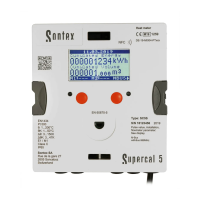
The new Supercal 5 has a backup battery with 10 years life-time, and doesn’t require any
other type.
7.1.1 Checking Date and Time
The date and time must be set correctly. This is essential for correct chronological display
of Supercal 5 data.
The date and time can be set using the Android tool and Superprog software and the optical
interface.
Time and date are normally already set.
7.1.2 Flow Control
7.1.3 Checking the Temperatures
If the temperature sensors in a heating system have been correctly installed and connected
to the Supercal 5, the temperatures will be displayed as follows:
The “high temperature” must be greater than the “low temperature” and the temperature
difference should be positive.
7.2 U ses
7.2.1 Flow Calculation
waiting time) are set in the factory. If necessary, authorized test centres can make changes
using Superprog Android and Superprog Windows.
Maximum waiting time is:
Maximum waiting time can be customized by software.
Minimum waiting time is:
Minimum waiting time cannot be customized.
between the minimum and the maximum waiting time previously setup.
time. Otherwise the result is 0.



 To Next Page