39Installation guide | Supercal 5
EN
Sealing
The sealing concept is subject to country-specic regulations. The sealing
points shown here were included in the construction of the Supercal 5.
Once the Supercal 5 is manufactured, it come out from factory as unsealed. It
mean it has to be installed at least with the following operations:
Fixing it to its operable and denitive location.
Installing the two temperatures sensor.
Installing the power supply if required
The calculator of the Supercal 5 S is then closed and mounted.
It is then necessary to seal the calculator either via the menu on the display or
via Superprog Android/Windows. If the installer needs to change other metro-
logical parameters, this can be done using the Superprog Android or Superprog
Windows software. (Android version is recommended).
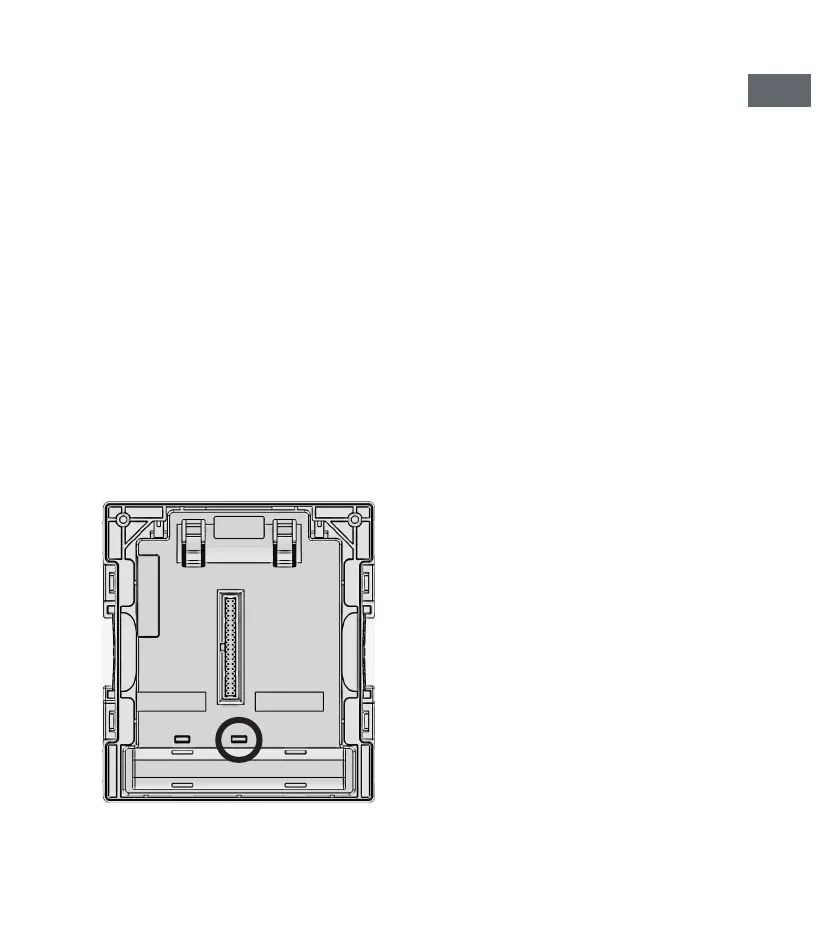
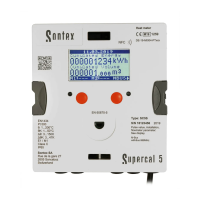
From this moment on, and if at any time it is necessary to return to commis-
sioning mode or the “Unsealed” state, the seal shown in the following image
must be broken:


 To Next Page