104
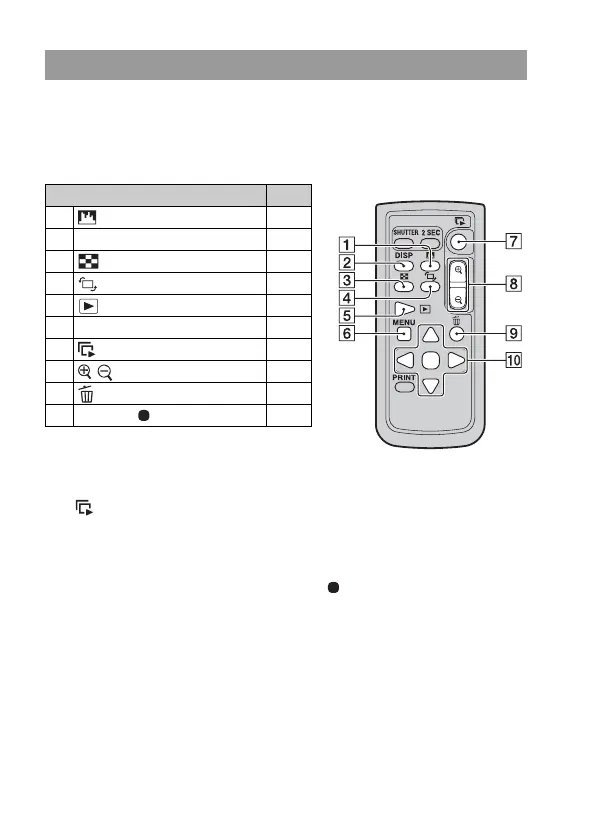
Connecting the camera to a TV and turning to the playback mode allows
you to play back images using the Remote Commander. Most of the
buttons on the Remote Commander have the same functions as the buttons
on the camera.
Slide show
The button on the Remote Commander easily starts/stops a slide show.
During a slide show, the following operations are available from the
Remote Commander.
• Displaying the previous/next image with b/B.
• Pausing/playing back the slide show with .
Note
• When you connect the camera to a TV using the supplied USB cable, you cannot
play back images using the Remote Commander.
Operating with the Remote Commander
Buttons on the Remote Commander Page
A (Histogram) 93
B DISP (Display) 92
C (Index) 96
D (Rotate) 94
E (Playback) 92
F MENU 105
G (Slide show) 126
H / (Scale up/down) 95
I (Delete) 99
J v/V/b/B/ (Multi-selector) 47



 To Next Page