54
Notes
• The (Camera shake warning) indicator is not indicated in shutter speed priority
mode.
• When using the flash (not supplied), if you close the aperture (a larger F-number) by
making the shutter speed slower, the light of the flash does not reach a distant
subject.
• When the shutter speed is one second or slower, noise reduction (Long exp.NR) will
be done after shooting. You cannot do any further shooting during the reduction.
Shooting with Shutter speed priority
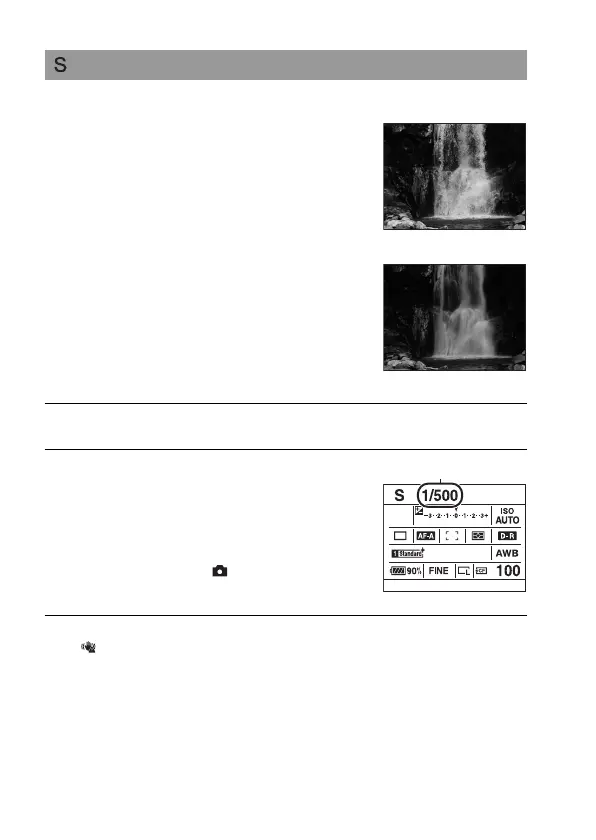
If you shoot a moving subject at a higher
shutter speed, it appears as if frozen on
the image. At a lower shutter speed, the
subject appears as if it flowing.
Aperture value is automatically adjusted.
High shutter speed
Slow shutter speed
1 Set the mode dial to S.
2 Select the shutter speed with the
front or rear control dial.
• The shutter speed is adjusted in 1/3 EV
increments. You can set this exposure
step to 1/2 EV increments with
[Exposure step] in the Recording
menu (page 111).
Shutter speed



 To Next Page