9-11
BDP-BX2/S360
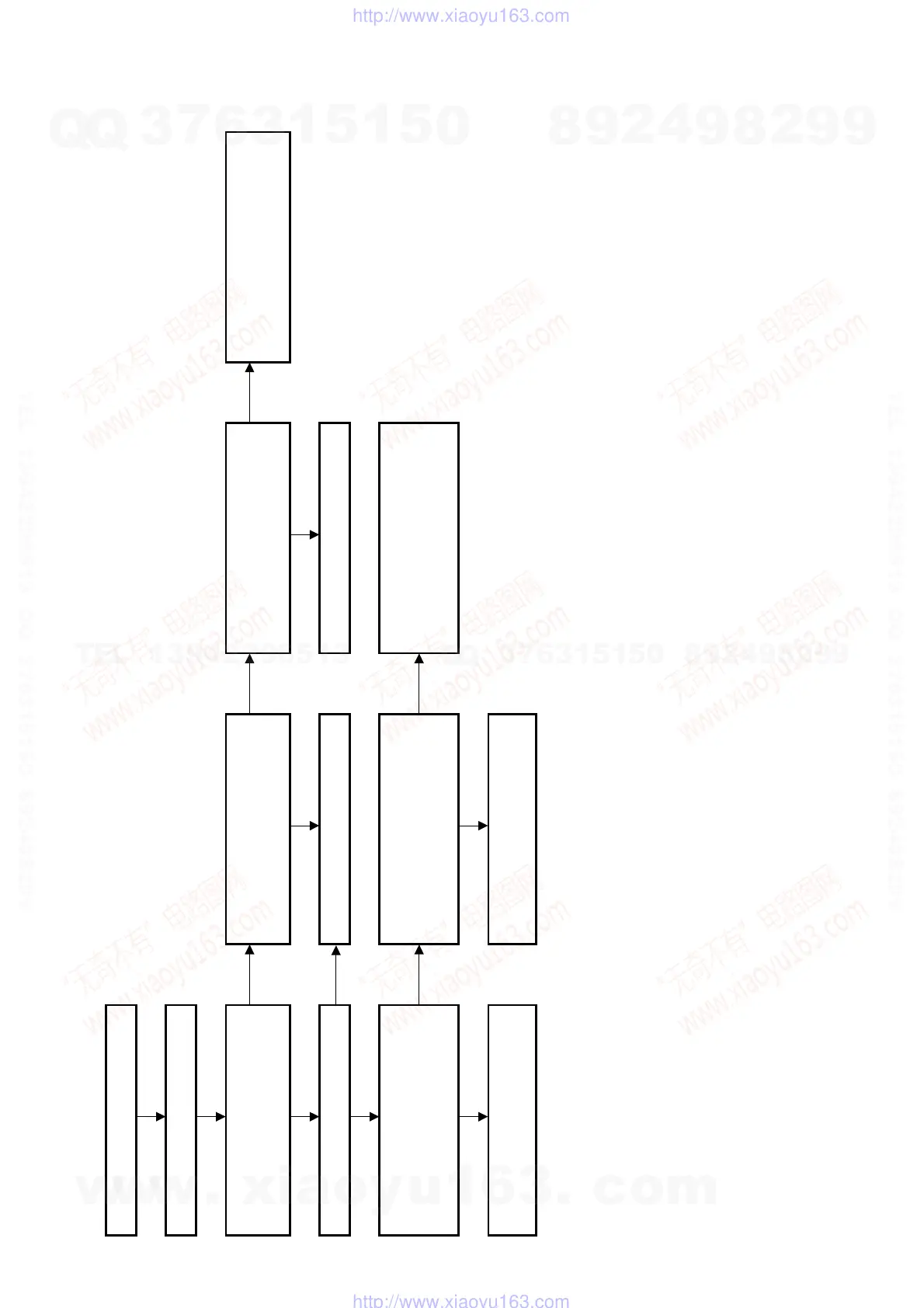
Fan flowchart
The FAN ERR display appears on
the fluorescent tube surface.
Enter the Service Mode and turn on
the fan from the IFcon menu.
Is the voltage of CN1403 pin 3 on the
order of 10 V?
No
Disconnect the harness from the fan
that is inserted in CN1403, and take
the measurement again. Is it on the
order of 10 V?
No
Is the voltage of IC1401pin 2 on the
order of 3.3 V?
No
Is the connection between IC1401
pin 1and IC1403 pin 58 broken? Also
check whether the trace is bridged
with the ad
acent one.
Yes Yes Yes
Is the fan rotating?
No
Replace the fan.
Check around the fan power supply
.
Yes
Is FanState of the Service Mode
screen set to ON?
No
Disconnect the harness from the fan
that is inserted in CN1403, and short
pins 1 and 2 together.
Does FanState of the Service Mode
screen
o ON?
No
Is the connection between IC1403
pin 2 and IC1403 pin 55 broken?
Also check whether the trace is
bridged with the adjacent one.
Yes Yes
Check whether something is caught
in the fan blades. If there is nothing
there
lace the fan.
Replace the fan.
w
w
w
.
x
i
a
o
y
u
1
6
3
.
c
o
m
Q
Q
3
7
6
3
1
5
1
5
0
9
9
2
8
9
4
2
9
8
T
E
L
1
3
9
4
2
2
9
6
5
1
3
9
9
2
8
9
4
2
9
8
0
5
1
5
1
3
6
7
3
Q
Q
TEL 13942296513 QQ 376315150 892498299
TEL 13942296513 QQ 376315150 892498299
http://www.xiaoyu163.com
http://www.xiaoyu163.com



 To Next Page