ICD-UX71/UX81/UX71F/UX81F/UX91F 4-114-023-41(1)
13
GB
Getting Started
Getting Started
Step 1: Preparing a
Power Source
Remove the lm on the display window
before you use the IC recorder.
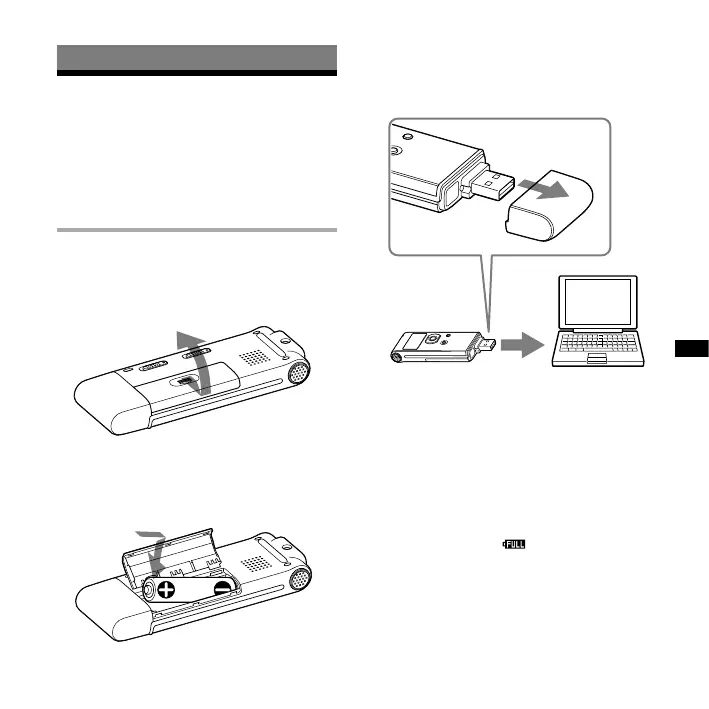
Inserting the battery
1 Slide and lift the battery
compartment lid.
2 Insert one NH-AAA rechargeable
battery with correct polarity, and
close the lid.
3 Charge the battery by connecting
the USB connector of the IC
recorder to your computer.
To USB connector
IC recorder
Computer
While the battery is charging,
“CONNECTING” and the remaining
battery/charging indicator are displayed
in an animation.
When the remaining battery/charging
indicator indicates “ ,” charging is
completed. (Charging time: approx.
4 hours*)



 To Next Page