ICD-UX71/UX81/UX71F/UX81F/UX91F 4-114-023-41(1)
45
GB
Recording/Playback Messages
Adjusting the playback
speed – the DPC function
,
ENT
/MENU
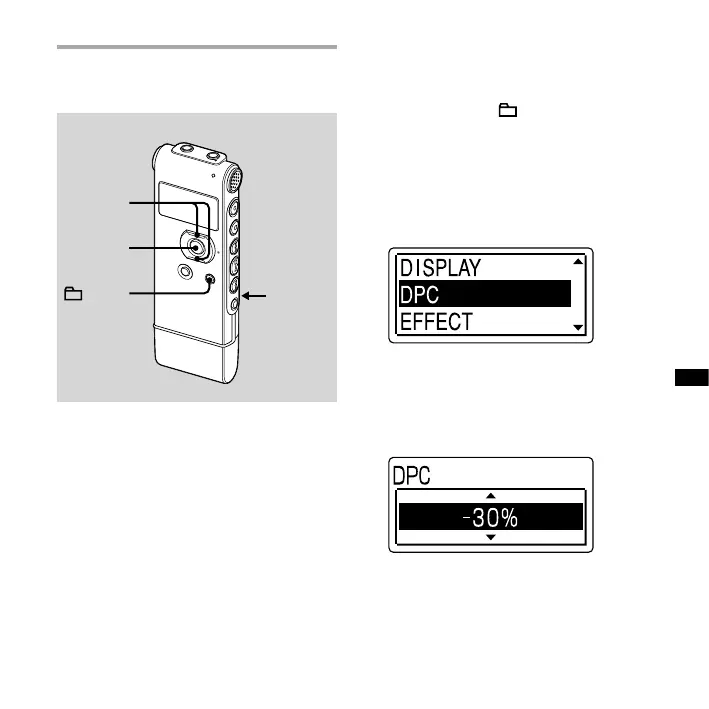
DPC
(SPEED CTRL)
When you slide the DPC (Digital Pitch
Control) (SPEED CTRL) switch to “ON,” you
can adjust the playback speed between
+100% and –50%* of normal speed in
the menu.
The message is played back in natural
tones thanks to the digital processing
function.
* You can only adjust the playback speed
between 0 and –50% when messages are
recorded as WMA files.
1 Slide the DPC (SPEED CTRL) switch
to “ON.”
2 Press and hold /MENU to enter
the menu mode.
The menu mode window will be
displayed.
3 Press or on the control button
to select “DPC,” and then press ENT.
4 Press or on the control button
to adjust the speed of the playback.
You can set the speed by 10% for +
setting and by 5% for – setting.
To resume normal playback
Slide the DPC (SPEED CTRL) switch to
“OFF.”



 To Next Page