ICD-UX71/UX81/UX71F/UX81F/UX91F 4-114-023-41(1)
37
GB
Recording/Playback Messages
Notes
During synchronized recording, you cannot
divide a message (page 31) and you cannot
pause recording (page 25).
Depending on the equipment connected to
the IC recorder, the synchronized recording
function may not operate properly due to a
difference in the audio input level.
To record without using the
synchronized recording function
1 Press and hold /MENU to enter
the menu mode.
The menu mode window will be
displayed.
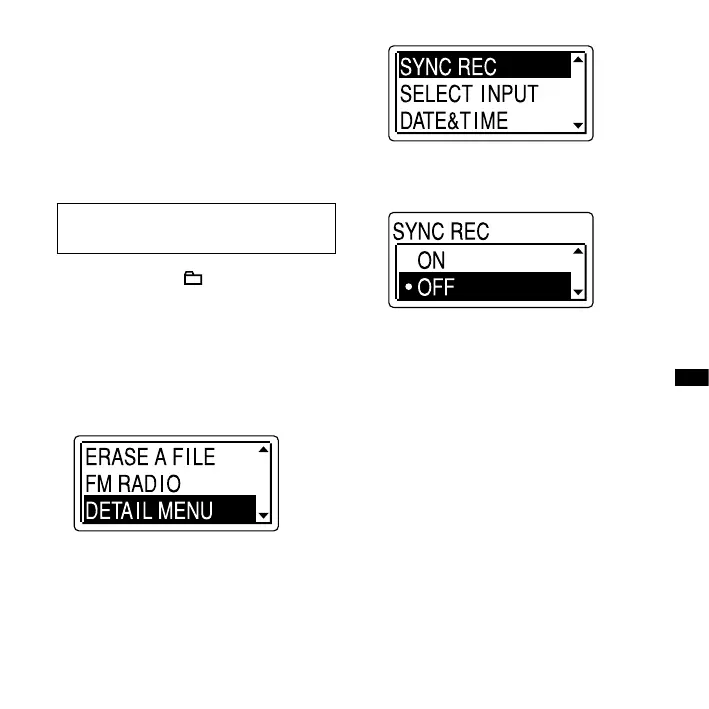
2 Press or on the control button
to select “DETAIL MENU,” and then
press ENT.
3 Press or on the control button
to select “SYNC REC,” and then press
ENT.
4 Press or on the control button
to select “OFF,” and then press ENT.
5 Press (stop) to exit the menu
mode.
6 Connect other equipment to the IC
recorder when the IC recorder is in
the stop mode.
Connect the audio output connector
(stereo mini-plug) of other equipment
to the (microphone) jack of the IC
recorder using an audio connecting
cable*.
“SELECT INPUT” appears in the display
window.



 To Next Page