ICD-UX71/UX81/UX71F/UX81F/UX91F 4-114-023-41(1)
36
GB
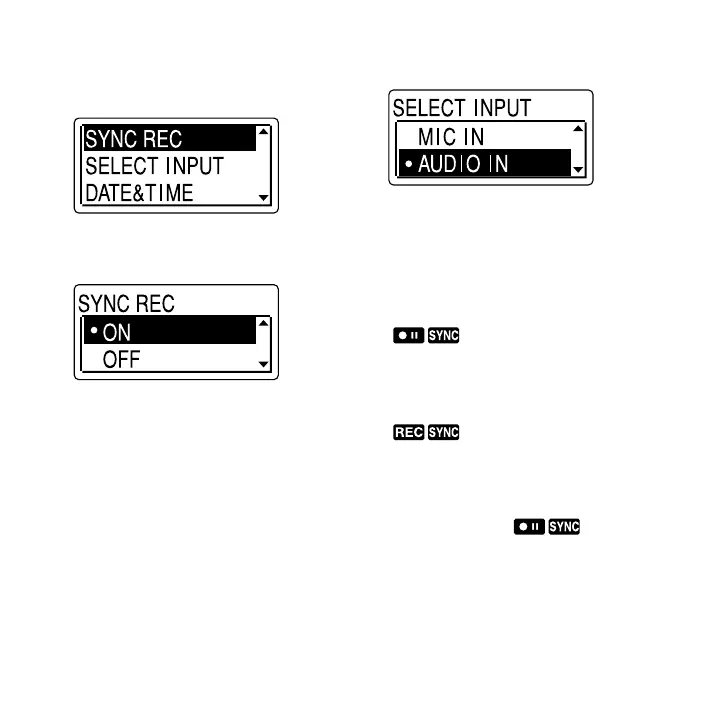
3 Press or on the control button
to select “SYNC REC,” and then press
ENT.
4 Press or on the control button
to select “ON,” and then press ENT.
5 Press (stop) to exit the menu
mode.
6 Connect other equipment to the IC
recorder when the IC recorder is in
the stop mode.
Connect the audio output connector
(stereo mini-plug) of other equipment
to the (microphone) jack of the IC
recorder using an audio connecting
cable*.
“SELECT INPUT” appears in the display
window.
7 Press or on the control button
to select “AUDIO IN,” and then press
ENT.
8 Press (record/pause) to start
recording.
“ ” ashes and the IC recorder
enters the recording pause mode.
9 Start playback on the component
connected to the IC recorder.
“ ” appears on the display and
synchronized recording starts.
The synchronized recording pauses
when no sound is detected for more
than 2 seconds, and “ ” ashes.
The IC recorder starts recording again as
a new message when sound is detected.



 To Next Page