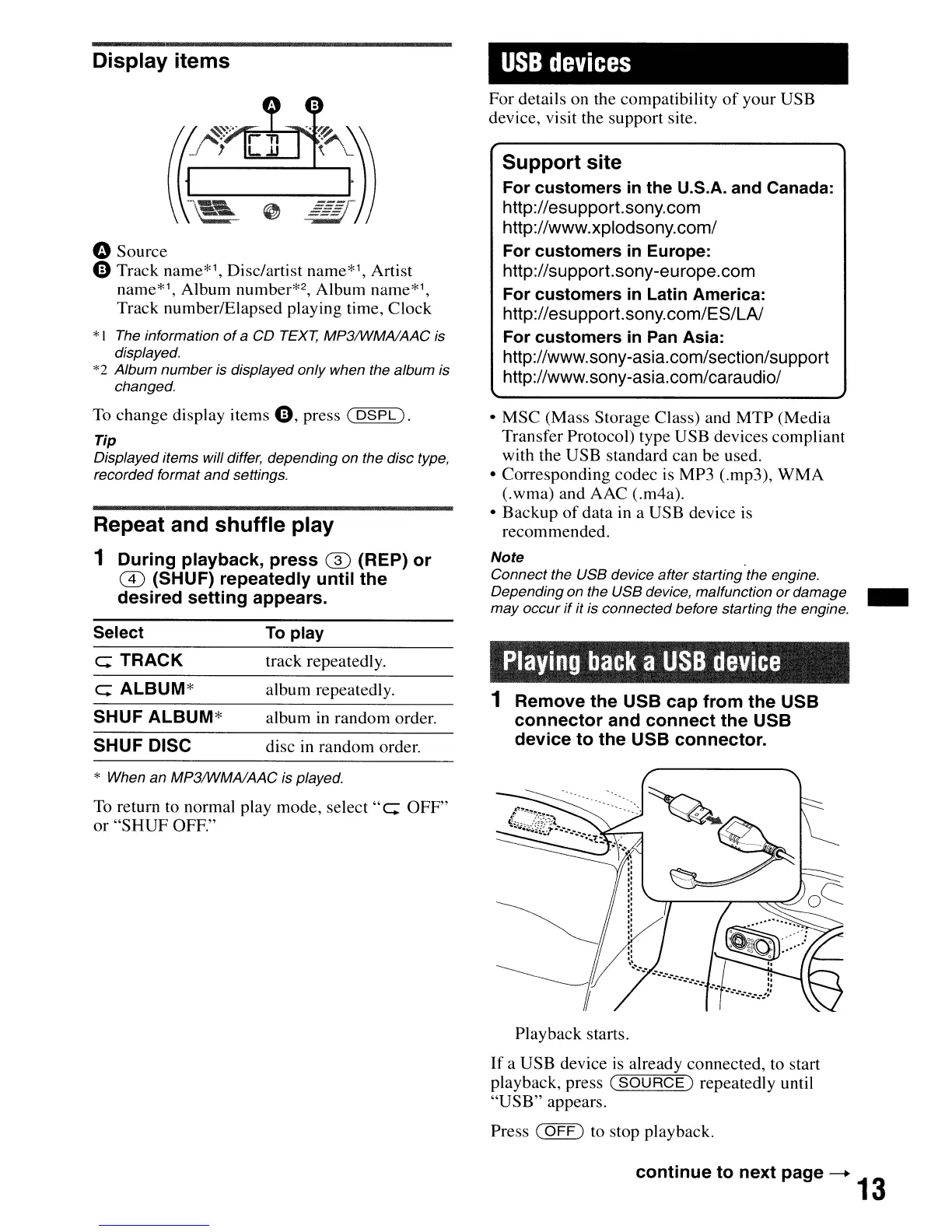
Display items
" Source
Q Track name*1, Disc/artist name*l, Artist
name*',
Album number*2, Album name*1,
Track number/Elapsed playing time, Clock
*1
The
information
of
a
CD
TEXT,
MP3IWMAlAAC
is
displayed.
*2 Album numberis displayed only when the album is
changed.
To
change display items Q, press (
DSPL).
Tip
Displayed items will differ, depending on the disc type,
recorded format
and
settings.
Repeat and shuffle play
1 During playback, press
G)
(REP) or
m (SHUF) repeatedly until the
desired setting appears.
USB
devices
I
For details on the compatibility
of
your USB
device, visit the support site.
Support site
For customers
in
the U.S.A. and Canada:
http://esupport.sony.com
http://www.xplodsony.com/
For customers
in
Europe:
http://support.sony-europe.com
For customers
in
Latin America:
http://esupport.sony.com/ES/LA/
For customers
in
Pan
Asia:
http://www.sony-asia.com/section/support
http://www.sony-asia.com/caraudio/
• MSC (Mass Storage Class) and
MTP
(Media
Transfer Protocol) type USB devices compliant
with the USB standard can be used.
• Corresponding codec
is
MP3 (.mp3),
WMA
(.wma) and AAC (.m4a).
• Backup
of
data in a USB device is
recommended.
Note
Connect the USB device after starting the engine.
Depending on the USB device, malfunction
or
damage _
may occur
if
it is connected before starting the engine.
Select
e TRACK
e ALBUM*
SHUF ALBUM*
SHUF DISC
To
play
track repeatedly.
album repeatedly.
album
in
random order.
disc in random order.
Playing
back
a
USB
device
1 Remove the USB cap from the USB
connector and connect the USB
device to the USB connector.
* When an MP3IWMAlAAC is played.
To
return to normal play mode, select
"e
OFF"
or
"SHUF
OFF."
Playback starts.
If
a USB device is already connected, to start
playback, press
(SOURCE)
repeatedly until
"USB"
appears.
Press
(OFF)
to stop playback.
continue to next page
--+
13


 To Next Page