Repeat and shuffle play
1 During playback, press ® (REP) or
m (SHUF) repeatedly until the
desired setting appears.
After 3 seconds, the setting is complete.
To return to normal play mode,
select"
c;
OFF"
or
"SHUF
OFF."
-
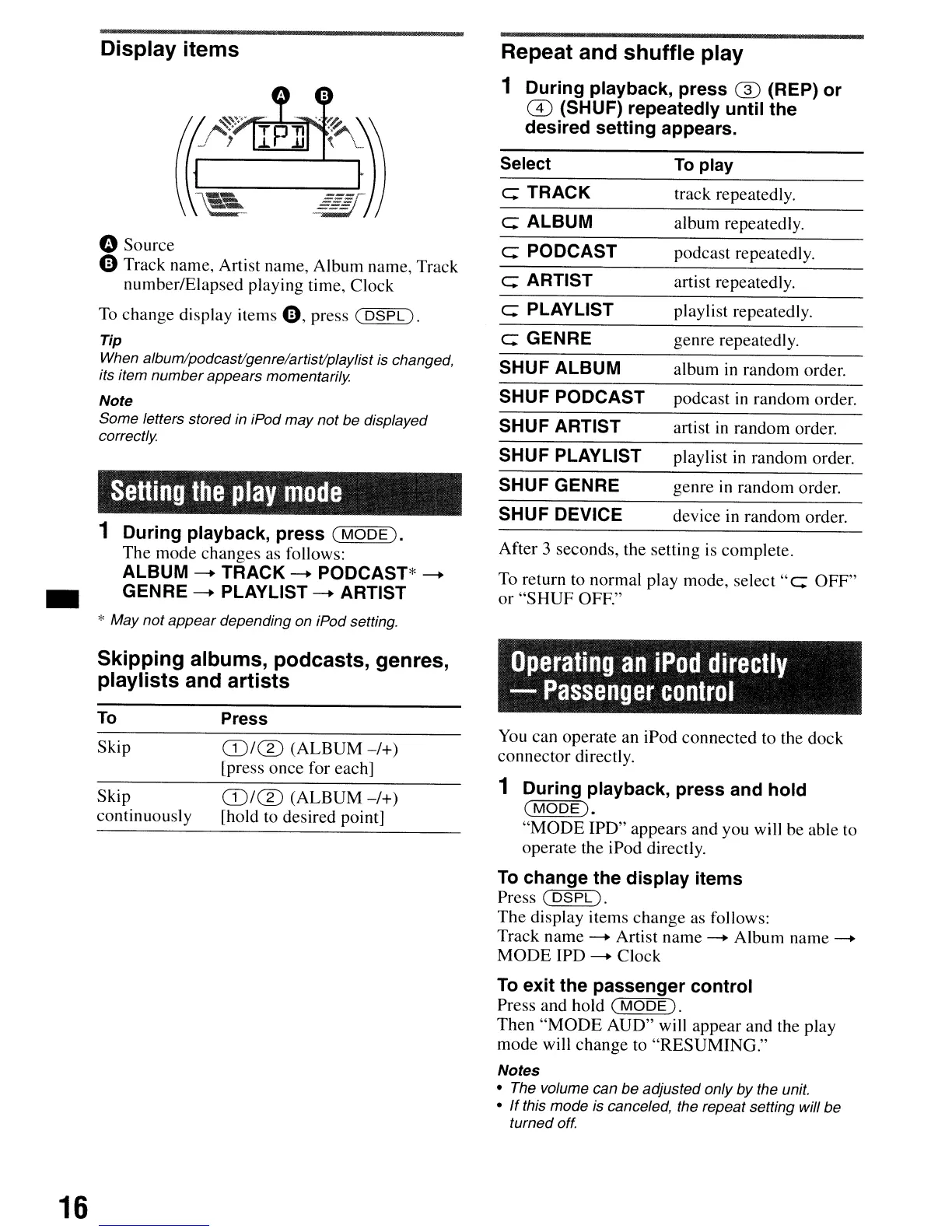
Display items
oSource
e Track name, Artist name, Album name, Track
number/Elapsed playing time, Clock
To change display items
e,
press
(DSPL).
Tip
When album/podcastlgenre/artistlplaylist is changed,
its item
number
appears momentarily
Note
Some letters stored in iPod may not be displayed
correctly
Setting
the
play
mode
1 During playback, press
(MODE).
The mode changes
as
follows:
ALBUM
--
TRACK
--
PODCAST*
--
GENRE
--
PLAYLIST
--
ARTIST
* May not appear depending on iPod setting.
Select
c;
TRACK
c;
ALBUM
c;
PODCAST
c;
ARTIST
c;
PLAY
LIST
c;
GENRE
SHUF ALBUM
SHUF PODCAST
SHUF ARTIST
SHUF PLAYLIST
SHUF GENRE
SHUF DEVICE
To
play
track repeatedly.
album repeatedly.
podcast repeatedly.
artist repeatedly.
playlist repeatedly.
genre repeatedly.
album
in
random order.
podcast
in
random order.
artist
in
random order.
playlist
in
random order.
genre
in
random order.
device in random order.
Skipping albums, podcasts, genres,
playlists and artists
Operating
an
iPod
directly
-
Passenger
control
16
To
Skip
Skip
continuously
Press
(D/m
(ALBUM
-/+)
[press once for each]
(D/m
(ALBUM-/+)
[hold to desired point]
You
can operate an iPod connected to the dock
connector directly.
1 During playback, press and hold
(MODE).
"MODE
IPD" appears and you will be able to
operate the iPod directly.
To
change the display items
Press
(DSPL).
The
display items change as follows:
Track name
--
Artist name
--
Album name
--
MODE
IPD
--
Clock
To
exit the passenger control
Press and hold
(MODE).
Then
"MODE
AUD" will appear and the play
mode will change to "RESUMING."
Notes
• The volume can be adjusted only
by
the unit.
•
If
this mode is canceled, the repeat setting will be
turned off.


 To Next Page