Adjust the volume level
Auxiliary audio equipment
By connecting an optional portable audio device
to the AUX IN
jack
on the unit and then simply
selecting the source, you can listen on your boat
speakers. The volume level is adjustable for any
difference between the unit and the portable
audio device. Follow the procedure below:
Be sure to adjust the volume for each connected
audio device before playback.
1 Turn down the volume on the unit.
2 Press
(SOURCE)
repeatedly until "AUX"
appears.
"AUX REAR IN" appears.
3 Start playback
of
the portable audio device at a
moderate volume.
4 Set your usual listening volume on the unit.
S Adjust the input level (page 17).
Changing the operative direction
The operative direction
of
the controls
is
factory-
set as shown below.
To decrease
If
you need to mount the rotary commander on
the right hand side
of
the steering column, you
can reverse the operative direction.
1 While pushing the VOL control, press and
hold
(SEL).
MODE
ATT
SOURCE
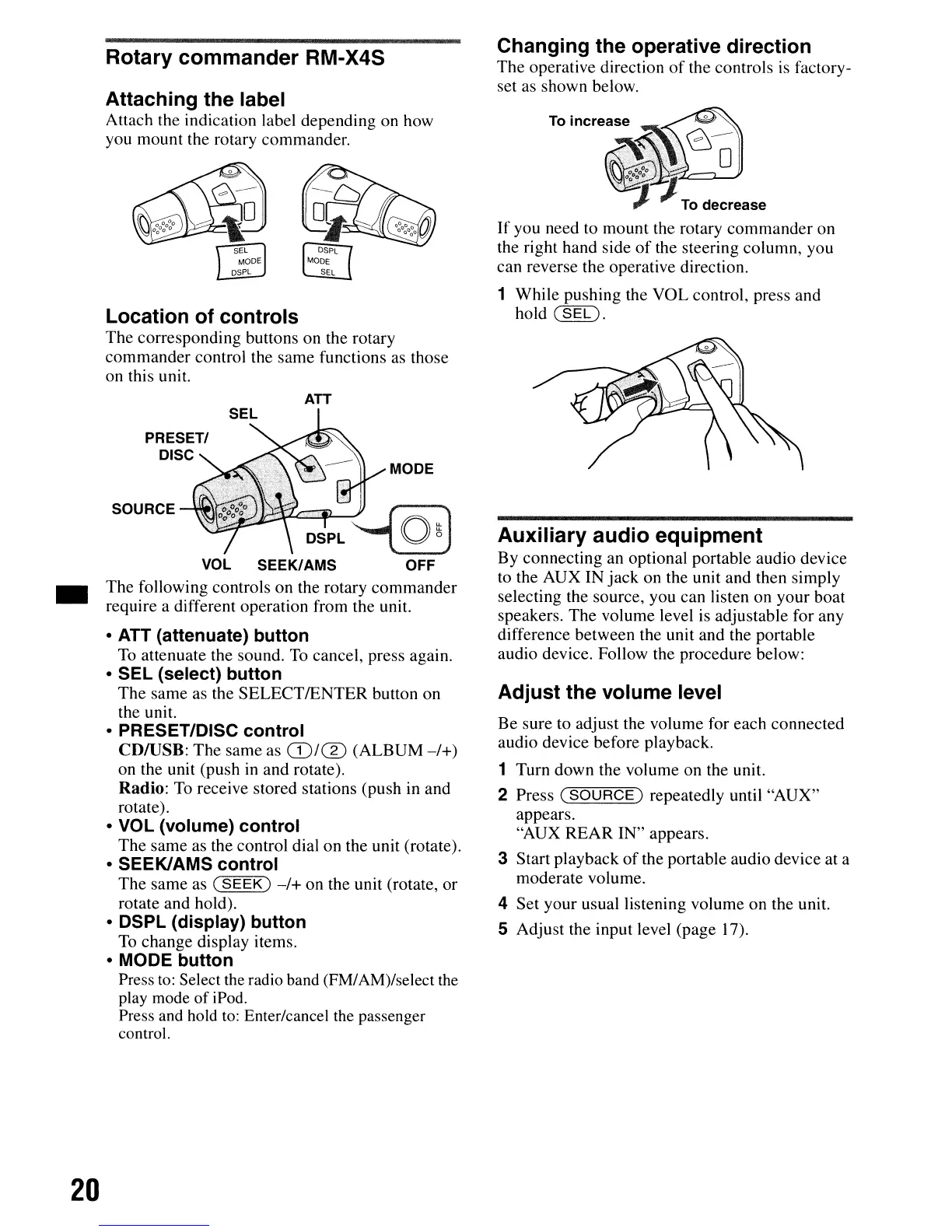
• ATT (attenuate) button
To
attenuate the sound.
To
cancel, press again.
• SEL (select) button
The
same as the SELECTIENTER button on
the unit.
• PRESET/DISC control
CDIUSB: The same as
CD/®
(ALBUM
-/+)
on the unit (push
in
and rotate).
Radio:
To
receive stored stations (push in and
rotate).
• VOL (volume) control
The same as the control dial on the unit (rotate).
• SEEKIAMS control
The same as
(SEEK)
-/+
on the unit (rotate, or
rotate and hold).
• DSPL (display) button
To
change display items.
• MODE button
Press
to:
Select the radio band (FM/AM)/select
the
play mode of iPod.
Press and hold
to:
Enter/cancel the passenger
control.
Rotary commander RM-X4S
Attaching the label
Attach the indication label depending on how
you mount the rotary commander.
Location of controls
The corresponding buttons on the rotary
commander control the same functions as those
on this unit.
•
20


 To Next Page