Preparing
the
card
remote
commander
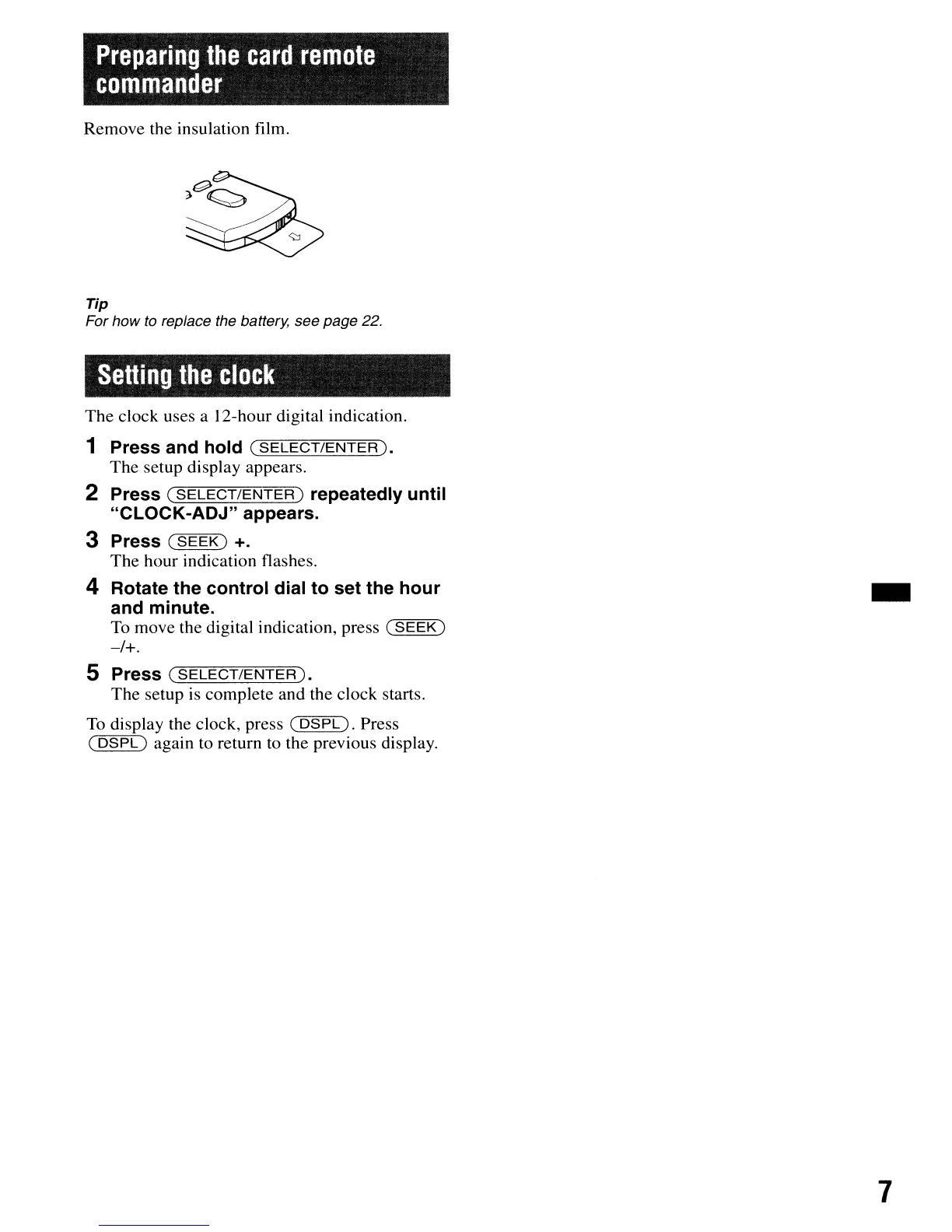
Remove the insulation film.
Tip
For how to replace the battery, see page 22.
Setting
the
clock
The clock uses a 12-hour digital indication.
1 Press and hold
(SELECT/ENTER).
The setup display appears.
2 Press
(SELECT/ENTER)
repeatedly until
"CLOCK-ADJ" appears.
3 Press
(SEEK)
+.
The hour indication flashes.
4 Rotate the control dial to set the hour
and minute.
To move the digital indication, press
(SEEK)
-/+.
5 Press
(SELECT/ENTER).
The setup is complete and the clock starts.
To
display the clock, press
(DSPL).
Press
(
DSPL)
again to return to the previous display.
-
7


 To Next Page