Using the Menu
Using the Menu
85
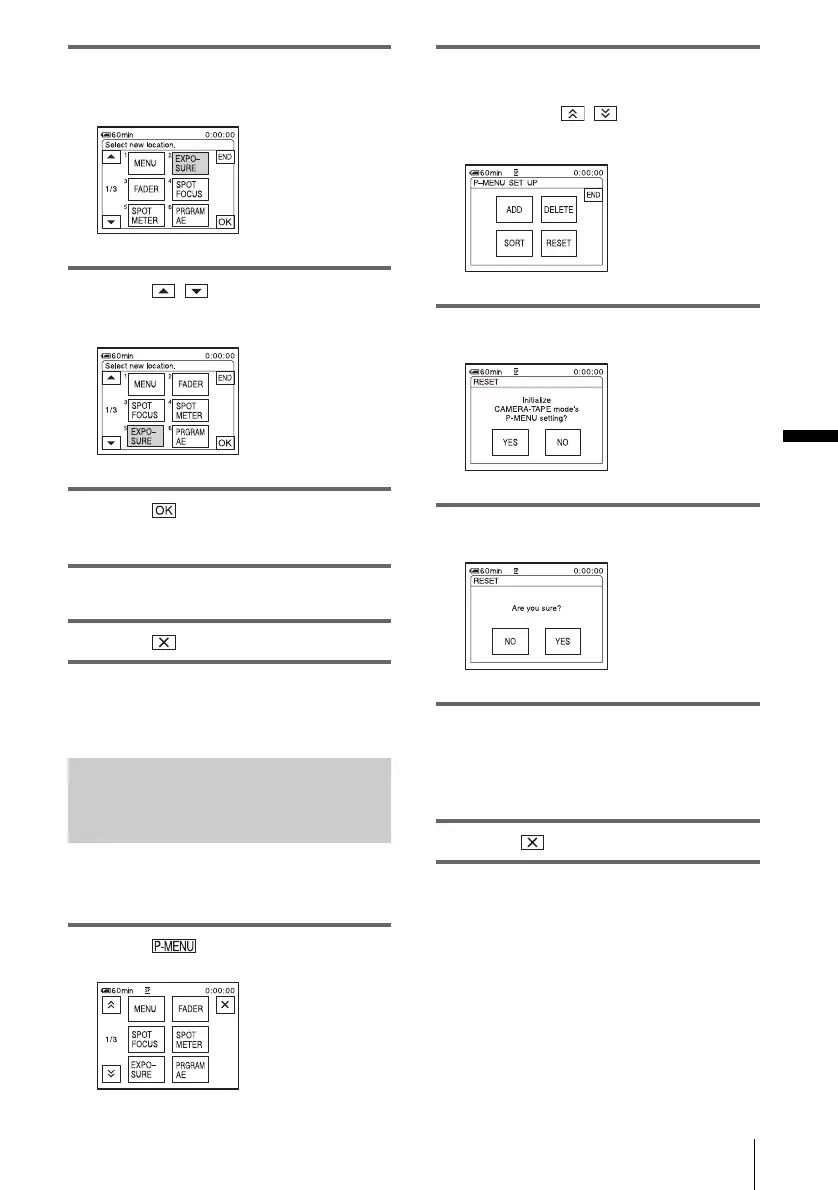
4 Touch the menu item you want to
move.
5 Touch / to move the menu item
to the desired place.
6 Touch .
To sort more items, repeat steps 4 to 6.
7 Touch [END].
8 Touch .
b Note
• You cannot move [P-MENU SET UP].
Initialising the settings – Reset
You can initialize Personal Menu to the default
settings after adding or deleting menus.
1 Touch .
2 Touch [P-MENU SET UP].
If the desired menu is not displayed on the
screen, touch / until the menu is
displayed.
3 Touch [RESET].
4 Touch [YES].
5 Touch [YES].
The Personal Menu settings return to the
default settings.
To cancel initialization, touch [NO].
6 Touch .















 To Next Page