Quick Start Guide
10
Quick Start Guide – Recording on a tape
This chapter introduces you to the basic features to record on a
tape of your camcorder. See the page in parentheses “( )” for
more information.
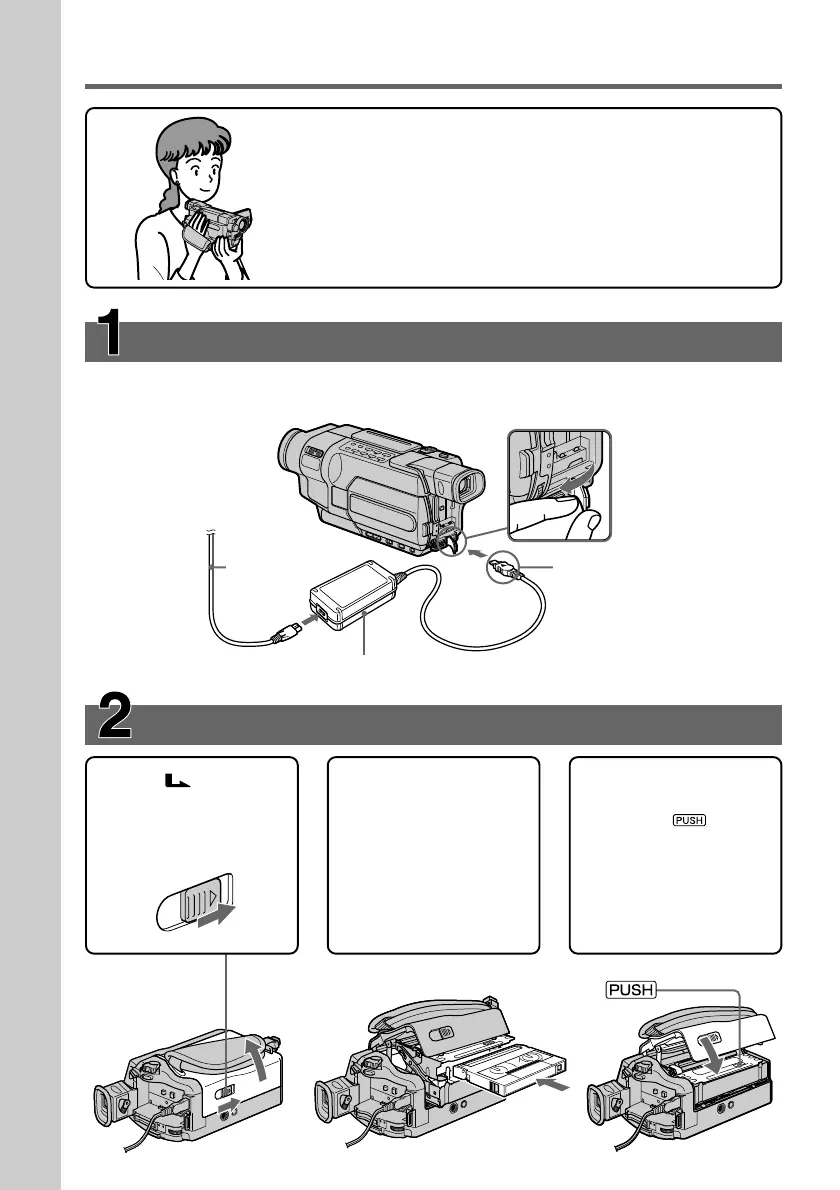
Inserting a cassette (p. 28)
Connecting the power cord (p. 24)
Use the battery pack when using your camcorder outdoors (p. 18).
1Slide OPEN/
EJECT in the direction
of the arrow and open
the lid.
2Push the center of the
cassette back and
insert the cassette
properly with the
cassette window
facing up.
3Close the cassette
compartment by
pressing on the
cassette compartment.
After the cassette
compartment goes
down completely,
close the lid.
Open the DC IN
jack cover.
Connect the plug with
its v mark facing up.
AC Adaptor (supplied)
Power cord



 To Next Page