170
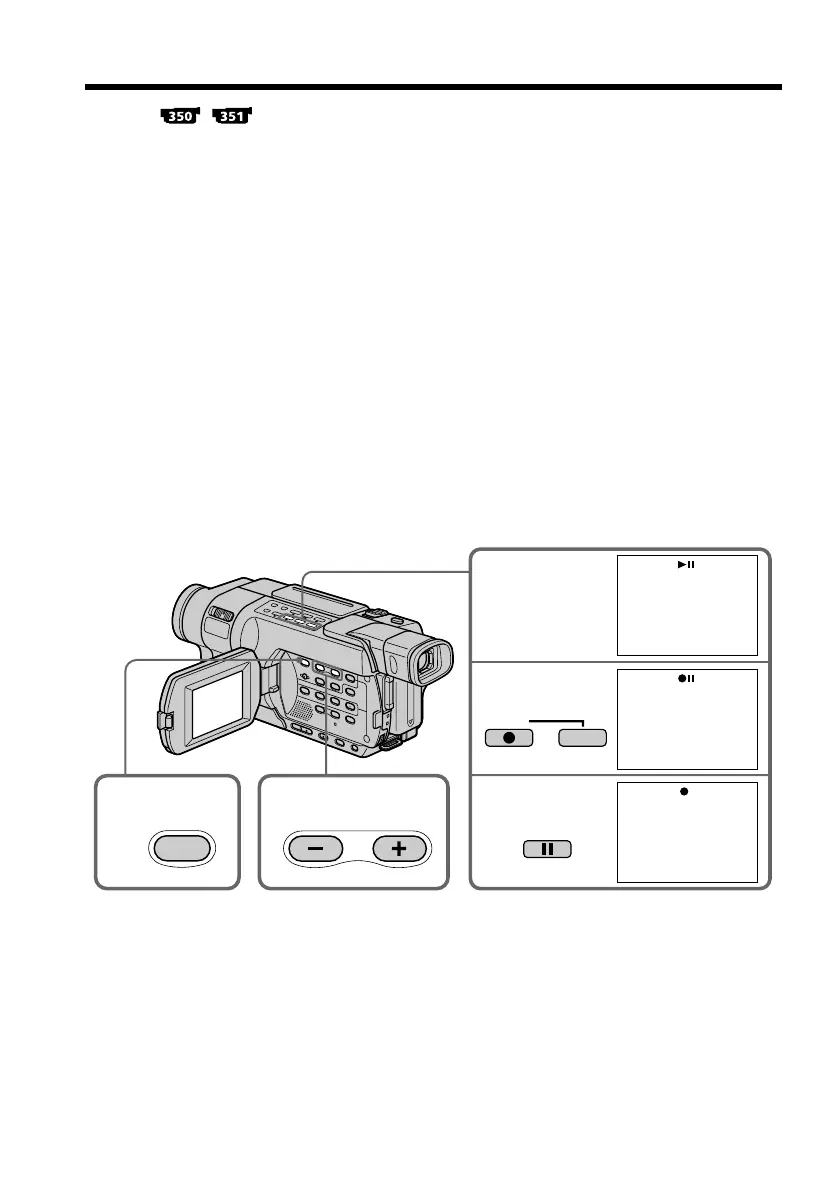
You can copy still images recorded on a “Memory Stick” to a tape.
Before operation
•Insert a tape for recording into your camcorder.
•Insert a “Memory Stick” into your camcorder.
(1) Set the POWER switch to VCR.
(2) Using the video control buttons, search for a point where you want to record
the desired still image. Set the tape to playback pause mode.
(3) Press z REC and the button on its right simultaneously on your camcorder.
The tape is set to the recording pause mode.
(4) Press MEMORY PLAY. The last recorded image is displayed.
(5) Press MEMORY+/– to select the desired image.
– : To see the previous image
+: To see the next image
(6) Press X to start recording and press X again to stop.
The z indicator appears on the screen during recording.
(7) If you have more to copy, repeat steps (5) to (6).
To stop copying
Press x.
Copying images recorded on a “Memory
Stick” to a tape
6
4
3
2
REC
PAUSE
5
PLAY



 To Next Page