157
“Memory Stick
” Operations
– Recording
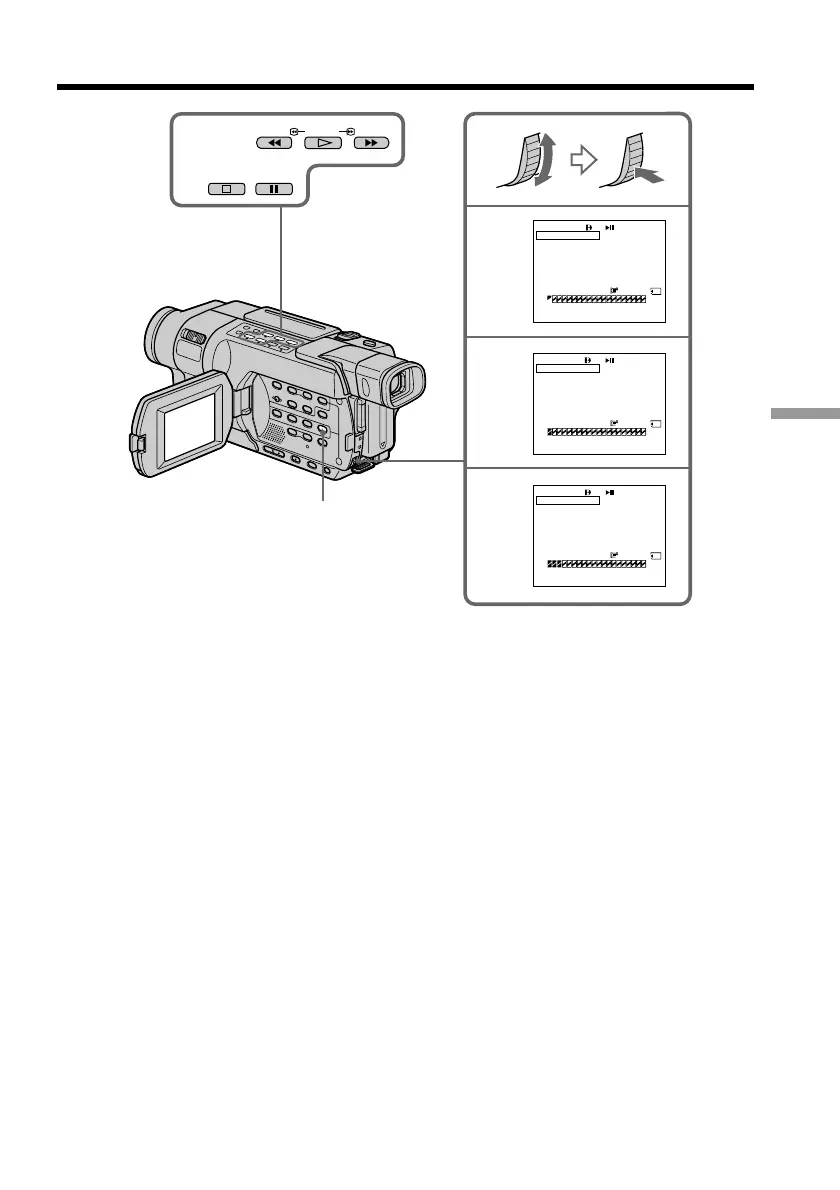
Recording edited pictures as a moving picture
– Digital program editing (on a “Memory Stick”)
7
9
10
6,8
PAUSE
STOP
REW FFPLAY
320
VIDEO EDIT
MARK
UNDO
ERASE ALL
START
IMAGESIZE
TOTAL
SCENE
[
MENU
]
:
END
0:00:00
02min
0:08:55:06
1 OUT
VIDEO EDIT
MARK
UNDO
ERASE ALL
START
IMAGESIZE
[
MENU
]
:
END
0:08:58:06
2 IN
VIDEO EDIT
MARK
UNDO
ERASE ALL
START
IMAGESIZE
[
MENU
]
:
END
0:10:01:23
4 IN
320
TOTAL
SCENE
0:00:03
12min
320
TOTAL
SCENE
0:00:13
32min
MENU
Erasing the program you have set
Erase OUT first and then IN of the last program.
(1) Turn the SEL/PUSH EXEC dial to select UNDO, then press the dial.
(2) Turn the SEL/PUSH EXEC dial to select EXECUTE, then press the dial.
The last set program mark flashes, then the setting is canceled.
To cancel erasing
Select RETURN in step (2).



 To Next Page