166
You can play back moving pictures recorded on a “Memory Stick.” By selecting the
index screen, you can also play back six images including still images at a time arranged
in the same order they are in the “Memory Stick.”
Before operation
Insert a “Memory Stick” into your camcorder.
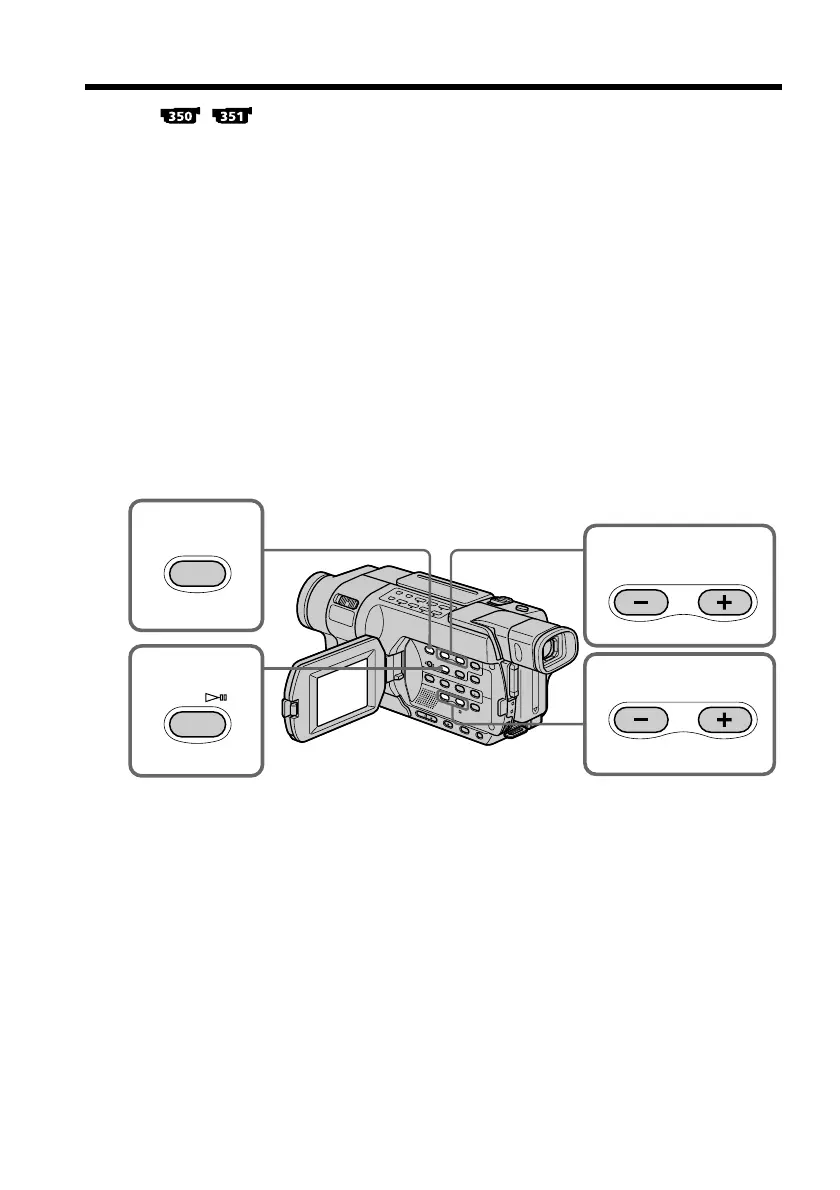
(1) Set the POWER switch to MEMORY or VCR. Make sure that the LOCK switch
is set to the left (unlock) position.
(2) Press MEMORY PLAY. The last recorded image is displayed.
(3) Press MEMORY +/– to select the desired moving pictures.
– : To see the previous picture
+: To see the next picture
(4) Press MPEG NX or SEL/PUSH EXEC dial to start playback.
(5) To adjust the volume, press either of the two buttons on VOLUME.
– : To turn the volume down
+: To turn the volume up
To stop MPEG movie playback
Press MPEG NX or SEL/PUSH EXEC dial.
Viewing moving pictures
– MPEG movie playback
3
2
4
PLAY
MPEG
5
VOLUME



 To Next Page