15
GB
Basic operations
Slideshow display
Tips
• You can set the interval, effect, listing order, or color effect when you select the Slideshow display. See
“Changing the settings of the slideshow” (page 21).
• If you press ENTER during slideshow, the display changes to the Single image display.
• If you turn the photo frame off during slideshow and back on with the 1 (on/standby) button, the slideshow
restarts from the last image viewed.
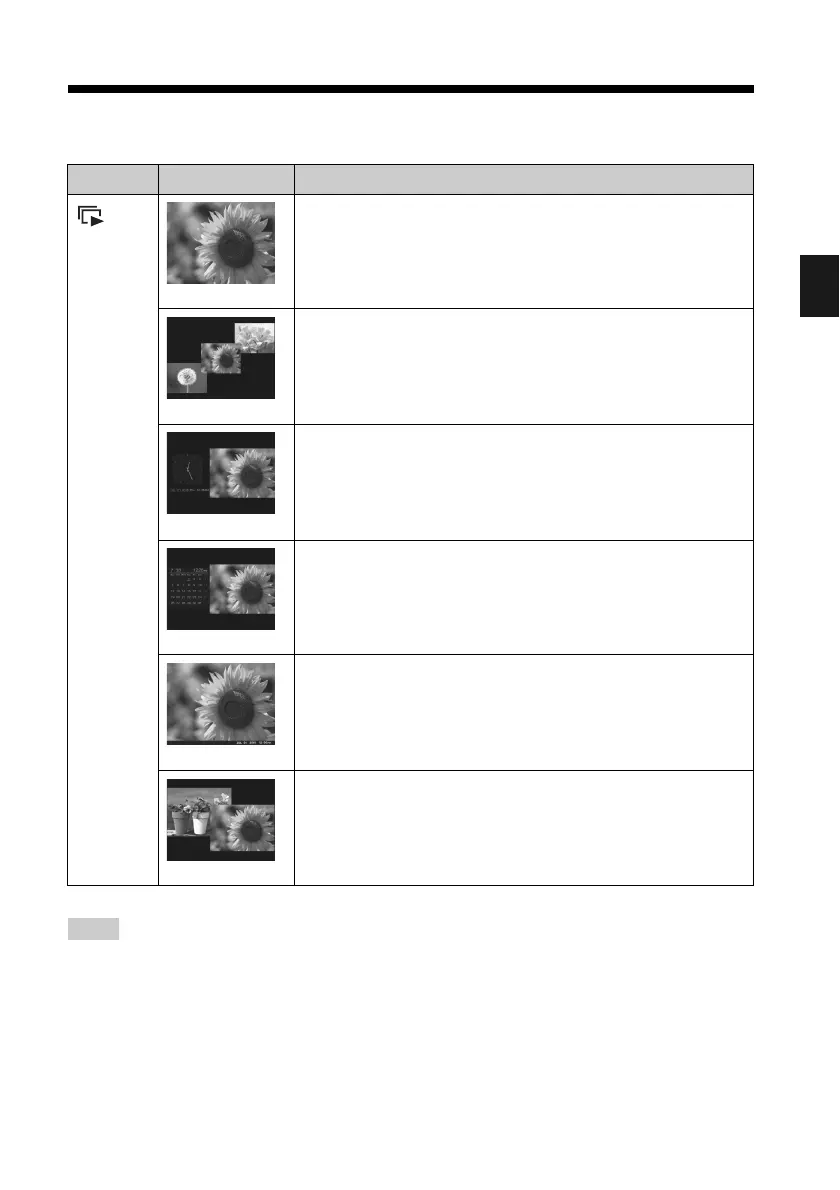
Display Style Description
Slideshow
Single view
Displayes a single screen, one after another.
Multi image view
Displays multiple images at the same time.
For a video file only the first frame of the file is displayed.
Clock view
Displays images, one after another, while showing the current
date and time.
Calendar view
Displays images, one after another, while showing a calendar.
The current date and time are also displayed.
Time Machine
Displays images, one after another, while showing the shooting
date and time. The current date and time are not displayed.
Random view
Displays images while randomly switching between a number of
different slideshow styles and effects.
When displaying images randomly
This is available when [Shuffle] of [Slideshow Settings] is set to
[ON] (page 22).



 To Next Page