29
GB
Advanced operations
Exporting an image from
the internal memory
You can export the images in the internal
memory to a memory card or USB external
device.
1 Press MENU when an image stored
on the internal memory is displayed
on the screen.
2 Press B/b to select the (Editing)
tab.
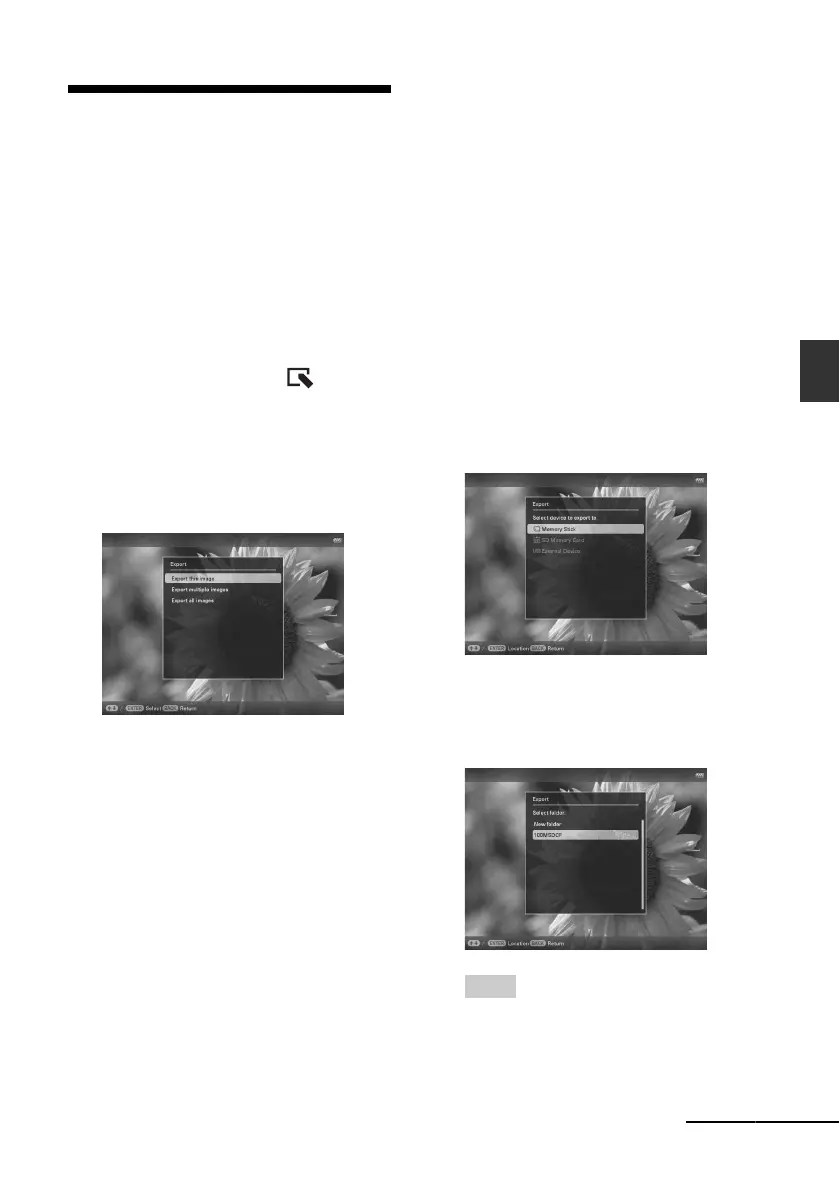
3 Press v/V to select [Export] and
press ENTER.
Single view mode
(Single image display)
4 Press v/V to select [Export this
image], [Export multiple images] or
[Export all images] and press
ENTER.
If you select [Export this image], the
image currently displayed is exported to
the device. Go to step 7. (This item cannot
be selected on the Slideshow display.)
If you select [Export multiple images],
you can select the image you want to
export from the image list. Go to step 5.
If you select [Export all images], the
image list with check marks in the check
boxes for all the images is displayed. Go
to step 6.
5 Press B /b/v/V to select the image to
be exported from the image list, and
press ENTER.
“✔” is added to the selected image.
If you want to export multiple images at a
time, repeat this step.
If you want to clear the selection, select
the image and press ENTER. “✔”
disappears from the image.
6 Press MENU.
The screen for selecting the memory card
or USB external device to which the
image is exported is displayed.
7 Press v/V to select a memory card
to which the image is exported, and
press ENTER.
8 Press v/V to select a destination
folder and press ENTER.
The confirmation screen for exporting the
image is displayed.
Tip
A new folder is created automatically when you
select [New folder].
Continued



 To Next Page