21
GB
Advanced operations
Advanced operations
Enjoying a slideshow
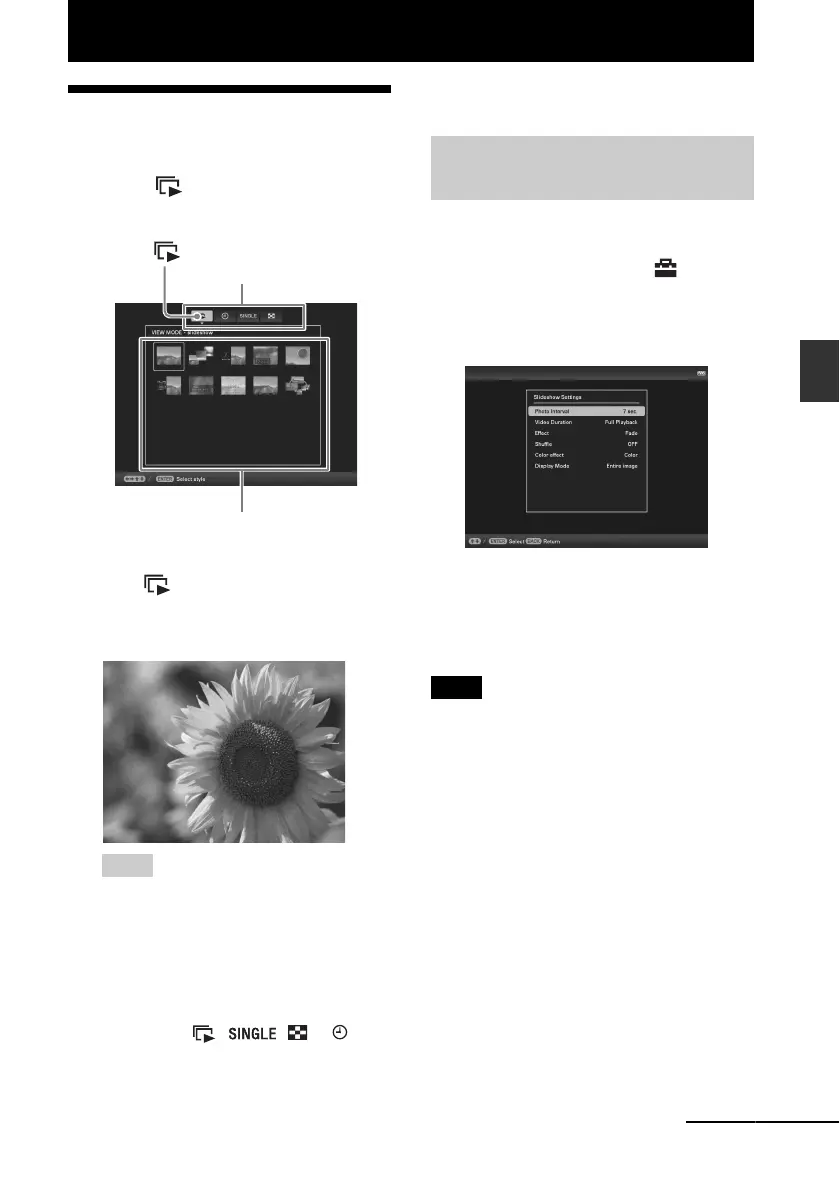
1 Press VIEW MODE repeatedly to
select (Slideshow) in the
display selection area.
Using the remote contro)
Press (SLIDE-SHOW).
2 Press B/b/v/V to select the desired
style and press ENTER.
Tips
• When the cursor is in the display selection
area, move it to the style selection area by
pressing v.
• You can move the cursor in the style
selection area by pressing the VIEW
MODE button on the remote control
corresponding to the currently selected
view mode ( , , or ), or
pressing VIEW MODE on the photo frame
repeatedly.
See “Slideshow display” (page 15) for
details on the slideshow styles.
1 Press MENU.
2 Press B/b to select the
(Settings) tab.
3 Press v/V to select [Slideshow
Settings] and press ENTER.
4 Press v/V to select the item you
want to change and press ENTER.
See the tables on the next page for details
on the setting items.
Notes
• Note the following when you select a slideshow
using the image stored on the memory card.
– Due to the characteristics of memory card
devices, images may be subject to data error
when read too often.
– Do not run a slideshow for a long time with a
small number of images. This may cause data
error.
– We recommend you back up images on the
memory card often.
• When the photo frame is, for instance, displaying a
slideshow, changes to the settings of some items are
unavailable. These items are shown in gray and
cannot be selected.
• The slideshow does not start from the point you
stopped if you turn off the photo frame, or if you
reset the photo frame.
Display selection area
Style selection area
(Slideshow)
Changing the settings of the
slideshow
Continued



 To Next Page