37
GB
Advanced operations
Press v/V to select an elapsed time which
you want to turn off the photo frame
automatically: 2 hours, 4 hours or Disable.
Then press ENTER.
6 Press MENU.
Changing the settings
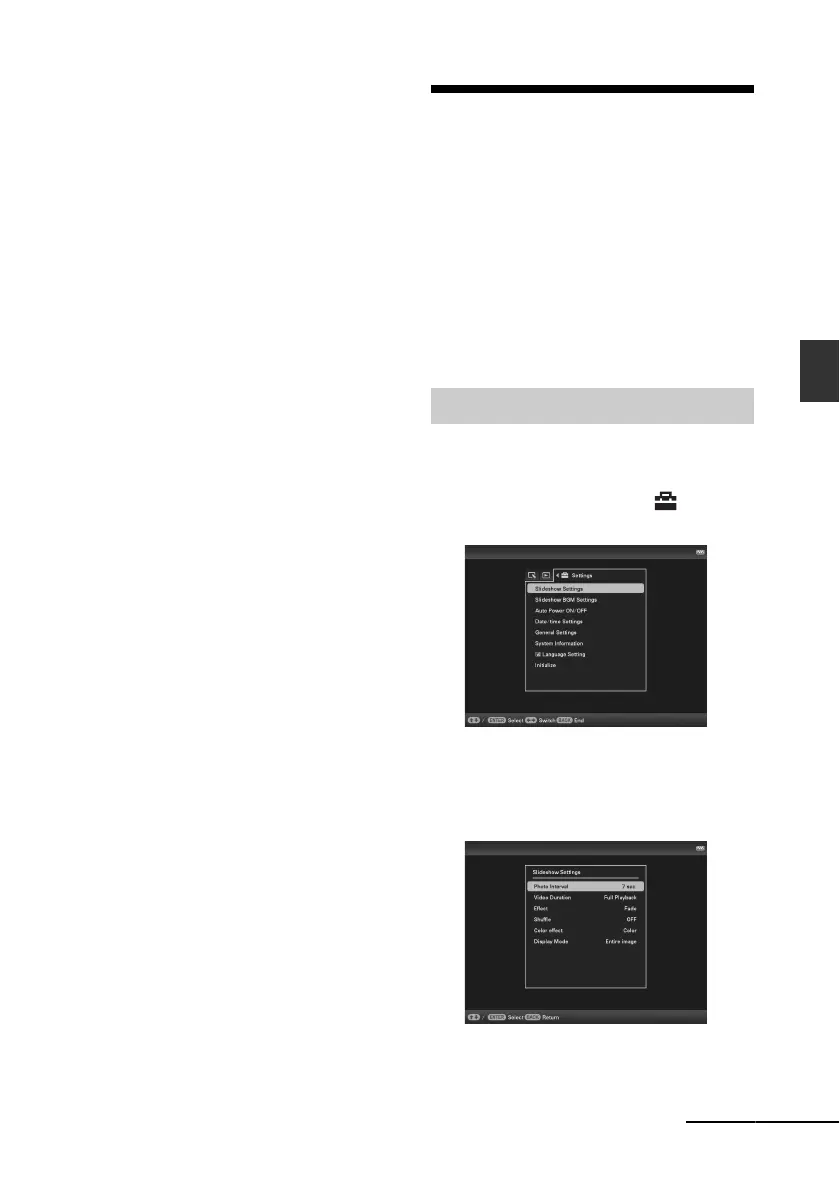
You can change the following settings.
• Slideshow Settings
• Slideshow BGM Settings
• Auto Power ON/OFF
• Date/time Settings
• General Settings (Listing Order, Sony logo
ON/OFF etc,.)
• Language Setting
• Initialize
1 Press MENU.
2 Press B/b to select the
(Settings) tab.
3 Press v/V to select the item you
want to change and press ENTER.
The setting screen of the selected item is
displayed.
For example, when [Slideshow Settings]
is selected.
Setting procedure
Continued



 To Next Page