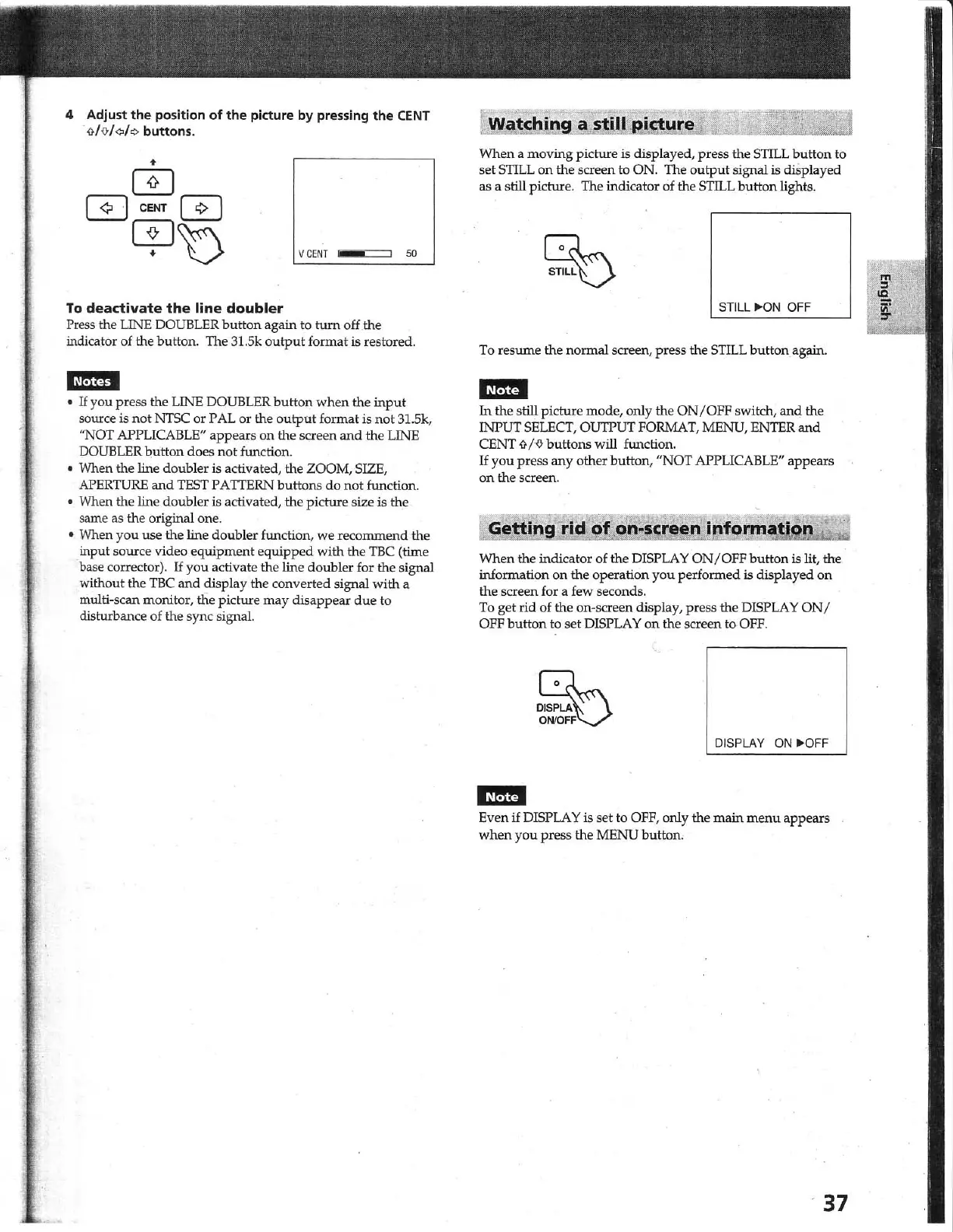
4 Adjust
the
position
of
the
picture
by
pressing
the
CENT
<rI%/¢
buttons.
V
CENT
50
To
deactivate
the
line doubler
Press the LINE OOUBLER button again to turn off the
indicator of the button. The 31.5k
output
format is restored.
•
If
you press the LINE DOUBLER
button
when the
input
source is
not
NTSC
or PAL or the
output
fo
rmat is
not
31.
Sk,
"NOT APPLICABLE" appears on the screen
and
the LINE
DOUBLER
button
does
not
function.
• When the line doubler is activated, the ZOOM, SIZE,
APERTURE
and
TEST
PATIERN buttons
do
not
function.
• When the line doubler is activated, the picture size is
th
.e
same as the original one.
• When you use the line doubler function, we recommend the
input so
ur
ce video equipment equipped with the
TBC
(
~e
base corrector).
If
you activate the line doubler for the signal
without the
TBC
and
display the converted signal with a
multi-scan monitor,
tfie picture may disappear
due
to
disturbance of the sync signal.
When a moving picture is displayed, press the
SmL
button to
set
SmL
on
the screen to ON. The
output
signal is displayed
as a still picture. The indicator of the
SmL
button
lights.
STILL "'ON
OFF
To resume the normal screen, press the
STILL
button again.
iJffi§
In
the still picture mode, only the
ON/OFF
switch,
and
the
INPUT
SELECT,
OUTPUT
FORMAT,
MENU,
ENTER
and
CENT
<JP>
buttons will function.
If
you
press any other button, "NOT APPLICABLE" appears
on the screen.
rid
of
on·~cr~en'
informat" ·
When the indicator of the DISPLAY O
N/O
FF
button is lit,
the
information on the operation you performed is displayed on
the screen for a few seconds.
To
get rid of the on-screen display, press the DISPLAY
ON/
OFF button to set DISPLAY
on
the screen to
OFF.
DISPLAY
ON
"'OFF
iJffifj
Even
if
DISPLAY
is
set to OFF, only the
main
menu
appears
when
you
press the MENU button.
37



 To Next Page