FMP-X10 7
SECTION 1 - TROUBLESHOOTING
RESETTING THE SELF-DIAGNOSIS HISTORY
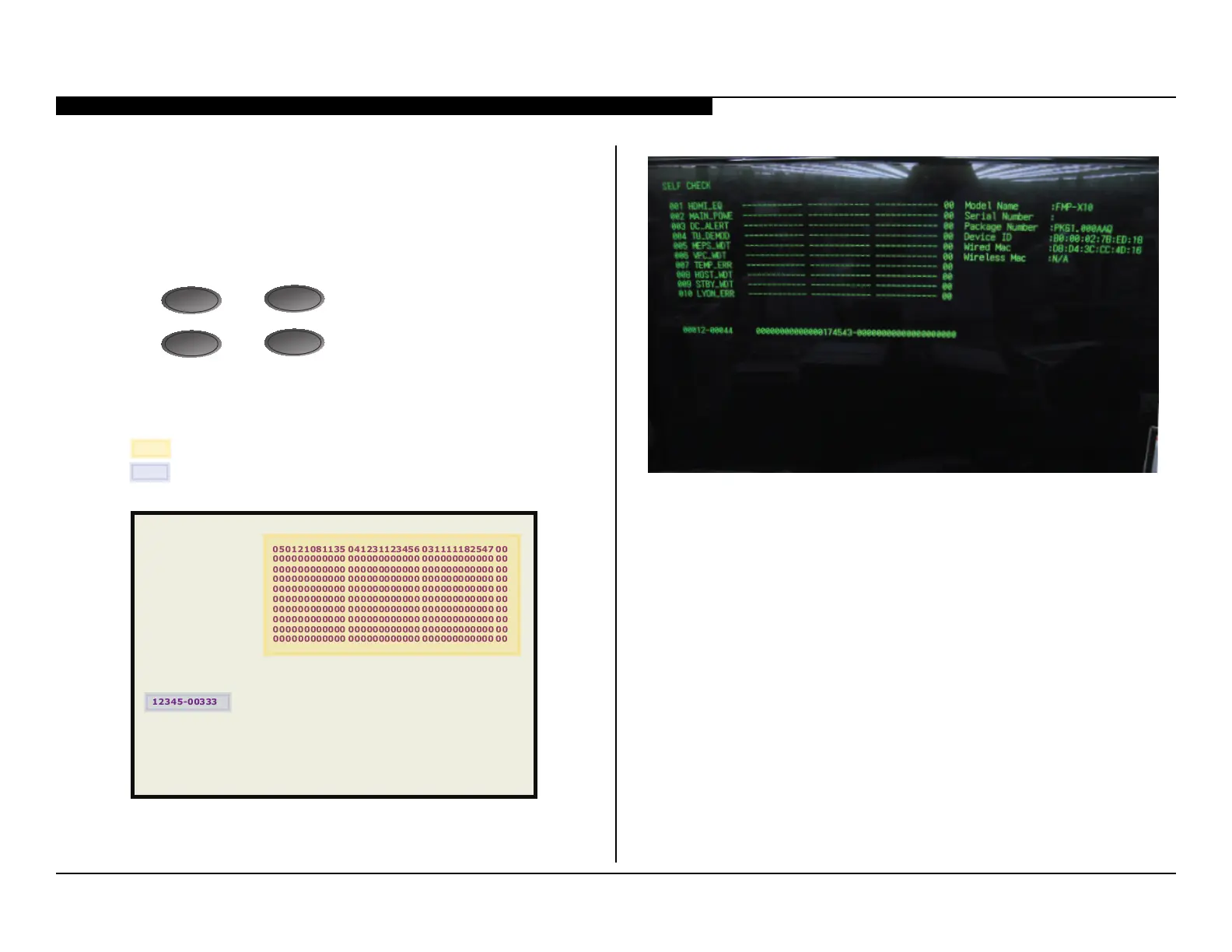
After servicing the 4K Media Player:
1. Reset the Self-Check History before returning the unit to the customer.
2. Press the following buttons on the Remote Commander, to Reset
the Self-Check Diagnosis History:
Press
DISPLAY
, then
PAUSE
.
Press
DISPLAY
, then
STOP
.
3. Refer to the illustration below for detailed information:
Press <Display>
<Pause>
Press <Display> ⇒ <Stop>
050121081135 041231123456 031111182547 00
000000000000 000000000000 000000000000 00
000000000000 000000000000 000000000000 00
000000000000 000000000000 000000000000 00
000000000000 000000000000 000000000000 00
000000000000 000000000000 000000000000 00
000000000000 000000000000 000000000000 00
000000000000 000000000000 000000000000 00
000000000000 000000000000 000000000000 00
000000000000 000000000000 00000
0000000 00
SELF CHECK
001 HDMI _EQ
002 MAIN_POWER
003 DC_ALERT
004 TU_DEMOD
005 MEPS_WDT
006 VPC_WDT
007 TEMP_ERR
008 HOST_WDT
009 STBY_WDT
010 LYON_ERR
12345-00333 00000000001234567890-00000000000000000000
SAMPLE SELF CHECK PAGE
SELF-CHECK DIAGNOSIS PAGE ACTUAL DISPLAY



 To Next Page