EasyManua.ls Logo

Sony HCD-CP11 - Page 7

Sony HCD-CP11
57 pages
Print Icon
To Next Page IconTo Next Page
To Previous Page IconTo Previous Page
Loading...
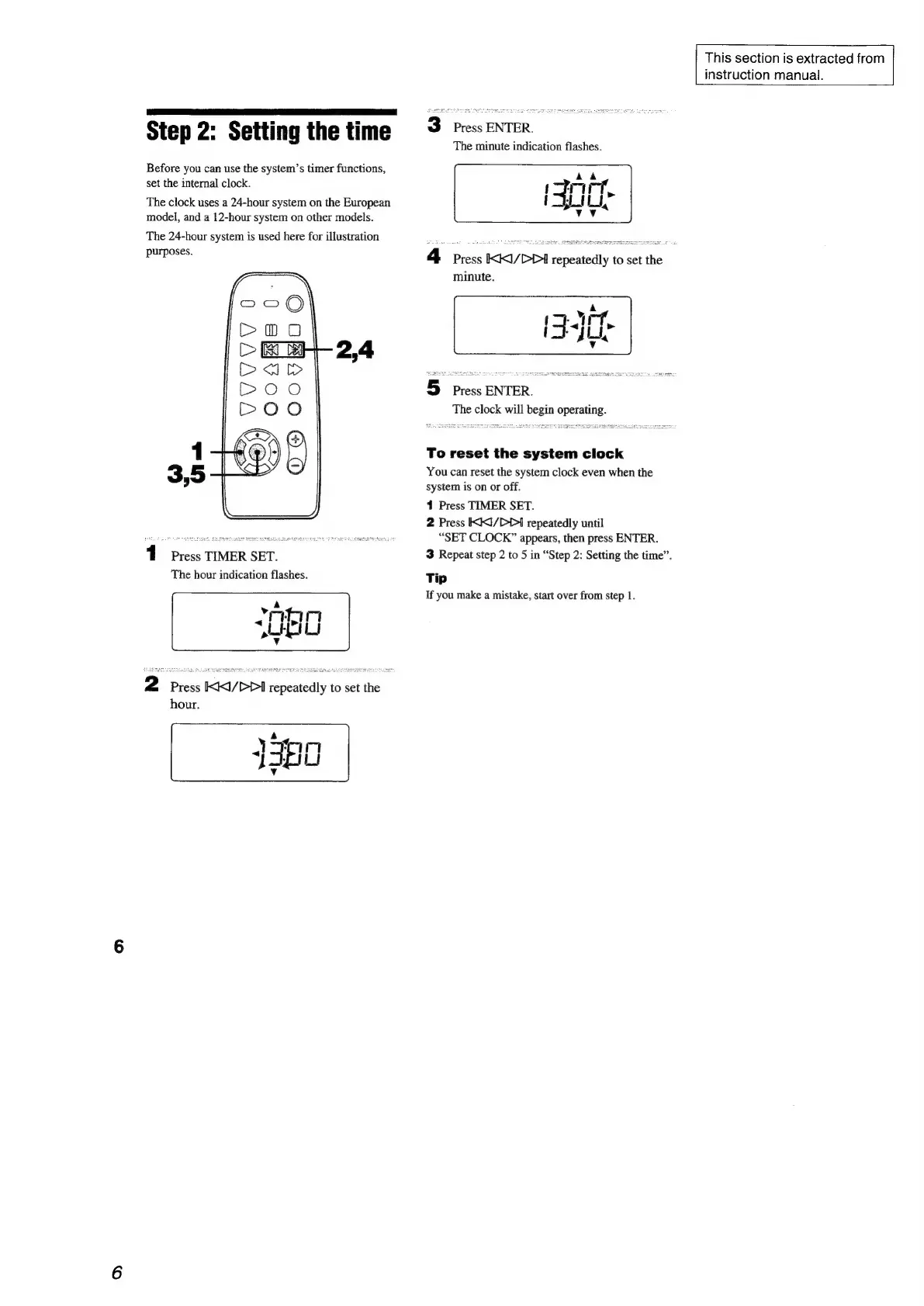
Step
2:
Setting
the
time
Before
you
can
use
the
system’s
timer
functions,
set
the
internal
clock.
The
clock
uses
a
24-hour
system
on
the
European
model,
and
a
12-hour
system
on
other
models.
The
24-hour
system
is
used
here
for
illustration
purposes.
1
Press
TIMER
SET.
The
hour
indication
flashes.
2
Press
KKI/DDI
repeatedly
to
set
the
hour.
This
section
is
extracted
from
instruction
manual.
3
Press
ENTER.
The
minute
indication
flashes.
4
Press
KKI/DDI
repeatedly
to
set
the
minute.
5
Press
ENTER.
The
clock
will
begin
operating.
To
reset
the
system
clock
You
can
reset
the
system
clock
even
when
the
system
is
on
or
off.
1
Press
TIMER
SET.
2
Press
KX/DP>I
repeatedly
until
“SET
CLOCK”
appears,
then
press
ENTER.
3
Repeat
step
2
to
5
in
“Step
2:
Setting
the
time”.
Tip
If
you
make
a
mistake,
start
over
from
step
1.

Related product manuals