10
[MC Cold Reset]
• The cold reset clears all data including preset data stored in the
RAM to initial conditions. Execute this mode when returning
the set to the customer.
Procedure:
1. While pressing the I/1 and x (TAPE A) button, connect the
power cord.
2. The set is reset.
[Liquid Crystal Display All Lit Check Mode]
Procedure:
1. Set to standby state.
2. Press three buttons of x (TAPE B), x (CD), and [VIDEO]
(function) simultaneously.
3. Liquid crystal display are all turned on.
4. To release from this mode, press the I/1 button to turn the
power OFF.
[ROM Version Display Mode]
Procedure:
1. Set to standby state.
2. Press three buttons of x (TAPE B), x (CD), and [DSG] si-
multaneously.
3. The ROM version is displayed.
[CD Aging Mode]
This mode can be used for operation check of CD section.
Procedure:
1. Load a CD disc.
2. Set to standby state.
3. Press three buttons of x (TAPE B), x (CD), and [TUNER]
(function) simultaneously.
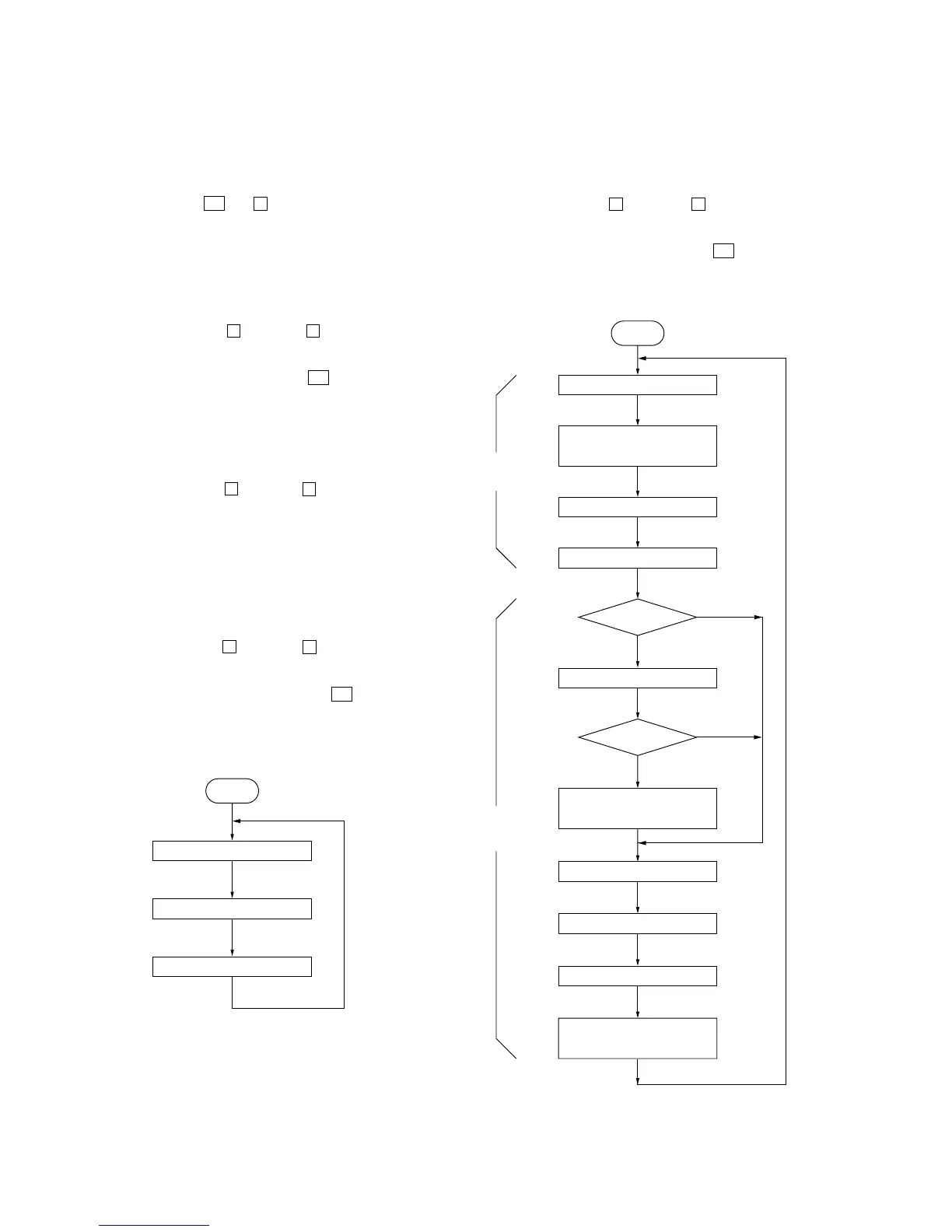
4. The aging is executed in bellow sequence.
5. To release from the aging mode, press the I/1 button to turn
the power OFF.
Aging mode sequence:
SECTION 4
TEST MODE
Start
REC pause for 3 seconds
FWD REC
REV play for 1 minute
FWD Play
Shut off
Shut off
1 minute
3 minutes
Rewind for 10 seconds
REV play for 3 minutes
FWD play for 2 minutes *1
REC pause for 3 seconds
REV REC for 3 minutes
Fast forward for
20 seconds or till shut off
Fast forward for
20 seconds or till shut off
Rewind for 30 seconds
or till shut off
TAPE A
TAPE B
*1) When it shuts off within 2 minutes, it
REV plays rest of the time then goes
to the next step.
[Tape Deck Aging Mode]
This mode can be used for operation check of tape deck section.
Procedure:
1. Set tapes in the tape deck-A and B.
2. Set to standby state.
3. Press three buttons of x (TAPE B), x (CD), and [TAPE]
(function) simultaneously.
4. The aging is executed in bellow sequence.
5. To release from the aging mode, press the I/1 button to turn
the power OFF.
Aging mode sequence:
Start
Open the disc tray
Close the disc tray
Play the last track


 To Next Page