2
HCD-SR1/SR2/SR3
SECTION 1
TEST MODE
[Version Display Mode]
*The software version is displayed.
Procedure:
1. Press three buttons of [VOLUME-], [VOLUME+] and A
simultaneously for two seconds.
2. The message “VERSION” is displayed. The version display
mode is activated.
3. Press the > button. “IF ***” is displayed.
4. Each time the > button is pressed, the display changes in
the order of DVD, AREA, VERSION and IF.
5. To exit from this mode, press the ?/1 button.
[Key Test Mode]
* Button check
Procedure:
1. Press three buttons of [VOLUME-], [VOLUME+] and [FUNCTION]
simultaneously.
2. The message “KEY NUM 0” is displayed and “0” blinks.
3. Each time a button is pressed, “KEY NUM 0” value increases.
However, once a button is pressed, it is no longer taken into
account.
4. When all buttons are pressed, “KEY NUM 9” appears and the
number blinking is stopped.
5. To exit from this mode, disconnect the power cord.
[Display Test Mode]
Procedure:
1. Press three buttons of [VOLUME-], . and A
simultaneously.
2. All segments are turned on.
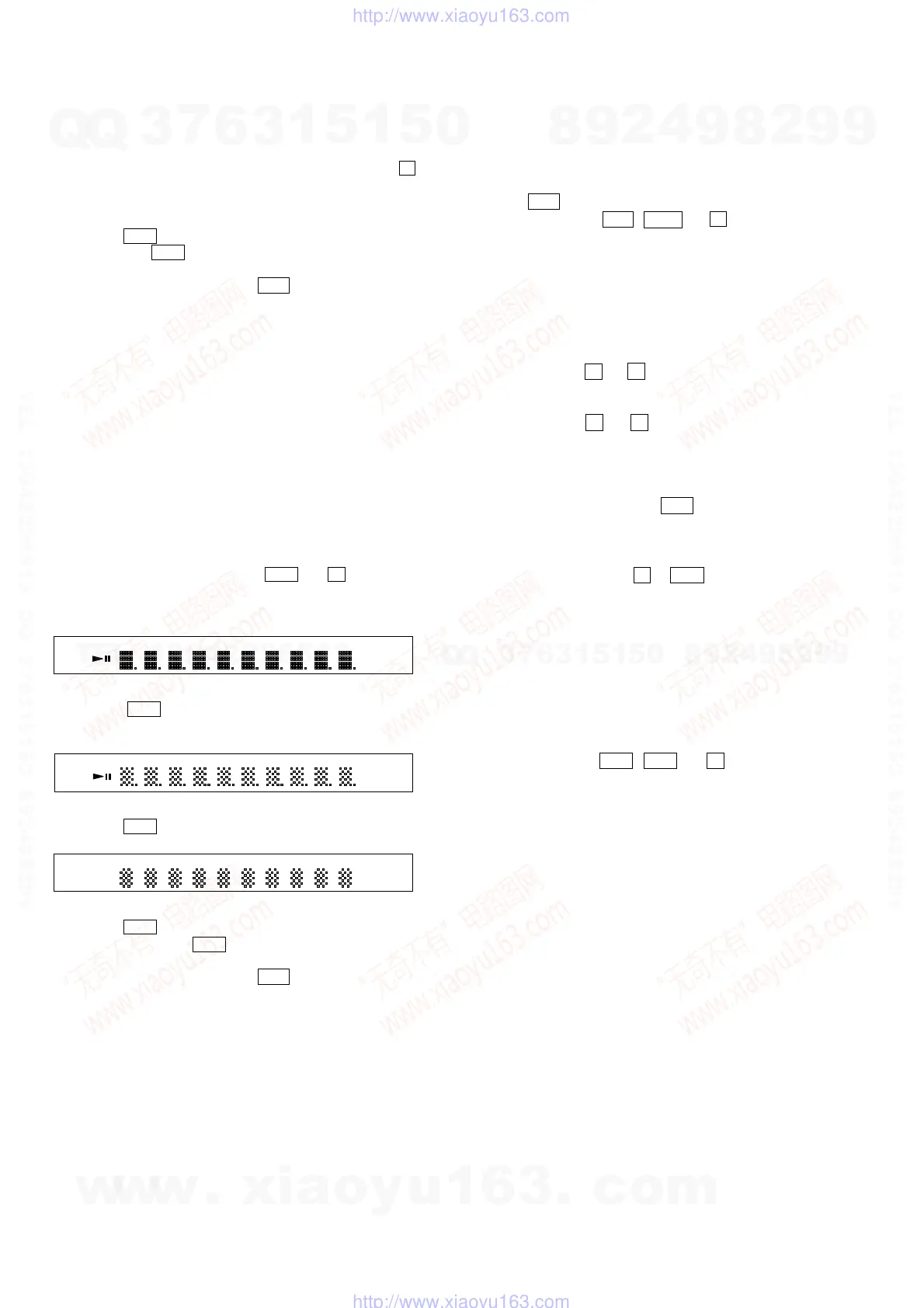
3. When the > button is pressed, the display will light up as
follows.
4. Press the > button and confirm the display.
5. Press the > button, all segments are turned off.
6. Every pressing of the > button turns on each segments in
the same order.
7. To exit from this mode, press the ?/1 button.
[Cold Reset]
* The cold reset clears all data including preset data stored in the
RAM to initial conditions. Execute this mode when returning
the set to the customers.
Procedure:
1. Press the ?/1 button to turn the power on.
2. Press three buttons of . , HX and A simultaneously.
3. When this button is operated, display as “COLD RESET” for
a while and all of the settings are reset.
[Disc Slot Lock]
The disc slot lock function for the antitheft of an demonstration
disc in the store is equipped.
Setting Procedure:
1. Turn the set on.
2. Press two buttons of x and A simultaneously for five seconds.
3. The message “LOCKED” is displayed and the slot is locked.
Releasing Procedure:
1. Press two buttons of x and A simultaneously for five seconds
again.
2. The message “UNLOCKED” is displayed and the slot is
unlocked.
Note : When “LOCKED” is displayed, the slot lock is not released
by turning power on/off with the ?/1 button.
[Repeat Limit Release Mode]
Procedure:
1. Press three buttons of A , > and [VOLUME+]
simultaneously.
2. Repeat limit is released.
[CDM Ship Mode]
*This mode moves the optical pick-up to the position durable to
vibration. Use this mode when returning the set to the customer
after repair.
Procedure:
1. Turn the set on.
2. Set the function to DVD.
3. Press three buttons of > , . and A simultaneously.
4. The message “MECHA LOCK” is displayed.
5. The CDM ship mode is set.
ALL1DISC S PGM
ALBM SHUF REP
1
MP3 JPEG
SA
-
CD MULTIPBC
DSGX
SB
DEC
kHz D
EX
DTS-ES NEO:6
ALBM
TITLE TRK CHAP SLEEP NTSC TUNED ST MONO NIGHT
a
MHz PL
II
a
ALL1DISC S PGM
ALBM SHUF REP
1
MP3 JPEG
SA
-
CD
MULTIPBC
DSGX
SB
DEC
kHz D
EX
DTS-ES NEO:6
ALBM TITLE TRK CHAP SLEEP NTSC TUNED ST MONO NIGHT
a
MHz PL
II
a
w
w
w
.
x
i
a
o
y
u
1
6
3
.
c
o
m
Q
Q
3
7
6
3
1
5
1
5
0
9
9
2
8
9
4
2
9
8
T
E
L
1
3
9
4
2
2
9
6
5
1
3
9
9
2
8
9
4
2
9
8
0
5
1
5
1
3
6
7
3
Q
Q
TEL 13942296513 QQ 376315150 892498299
TEL 13942296513 QQ 376315150 892498299
http://www.xiaoyu163.com
http://www.xiaoyu163.com



 To Next Page