23
6.3. HDD Self Check
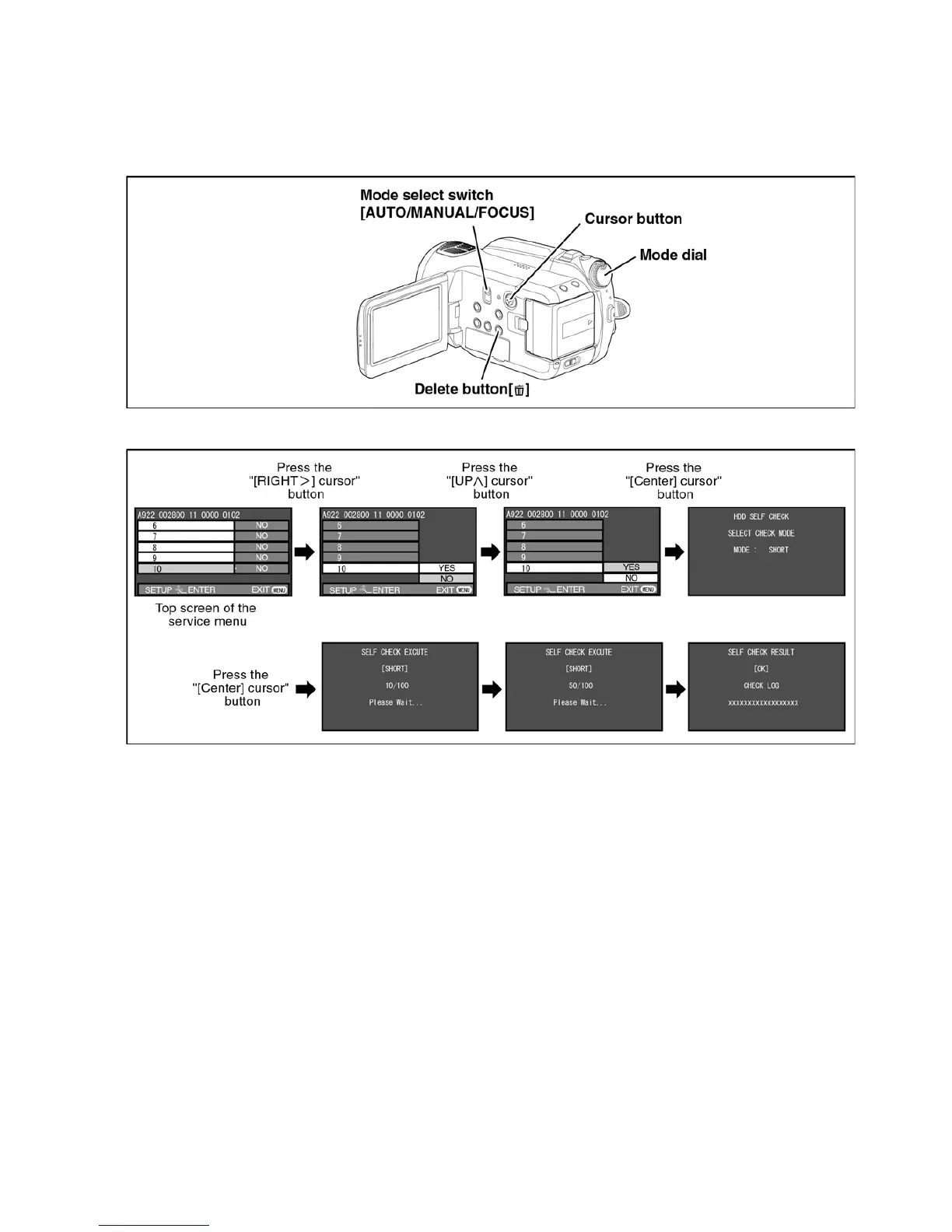
1. Set the mode dial “HDD Recording” mode.
2. While keep pressing the “[LEFT<] of cursor” button and “delete” button, hold down the Mode Select Switch towards to
“[FOCUS]” position for more than 3 seconds until the top screen of the Service Menu being displayed.
3. Select [ 10 ] HDD self check.
Operation specifications
Indication contents
• HDD self check result display
Display the HDD self check result information.
Displays other than “OK” are abnormalities of HDD.
Push the menu button to end the service mode, and then POWER OFF.


 To Next Page